
faisalazez / laravel-inbox

Receive and send emails from your project with Laravel
Package info
github.com/development9987/test-inbox
Language:CSS
pkg:composer/faisalazez/laravel-inbox
Requires
None
Requires (Dev)
- orchestra/testbench: ^4.0
- phpunit/phpunit: ^9.0
Suggests
None
Provides
None
Conflicts
None
Replaces
None
This package is auto-updated.
Last update: 2026-09-29 02:57:18 UTC
README
Receive and send emails from your project with Laravel
Inbox extends beyondcode/laravel-mailbox
Installation
You can install the package via composer:
composer require faisalazez/laravel-inbox
After installing Inbox, publish its assets using the inbox:install Artisan command:
php artisan inbox:install
This package extends the migration file of beyondcode/laravel-mailbox to store all incoming email messages. You can publish the migration file using:
php artisan vendor:publish --provider="Xoshbin\Inbox\InboxServiceProvider" --tag="migrations"
Run the migrations with:
php artisan migrate
Next, you need to publish the inbox configuration file which it's the same file of beyondcode/laravel-mailbox with some extra variables:
php artisan vendor:publish --provider="Xoshbin\Inbox\InboxServiceProvider" --tag="config"
Connecting email drivers
To connect your email provider with this package you have to follow beyondcode/laravel-mailbox documentation. To use gmail your gmail account add this line to .env
GMAIL_USER_NAME=
GMAIL_PASSWORD=
#GMAIL_FETCH=ALL to get all emails
#GMAIL_FETCH=RECENT to get all recent emails
GMAIL_FETCH=ALL
Usage
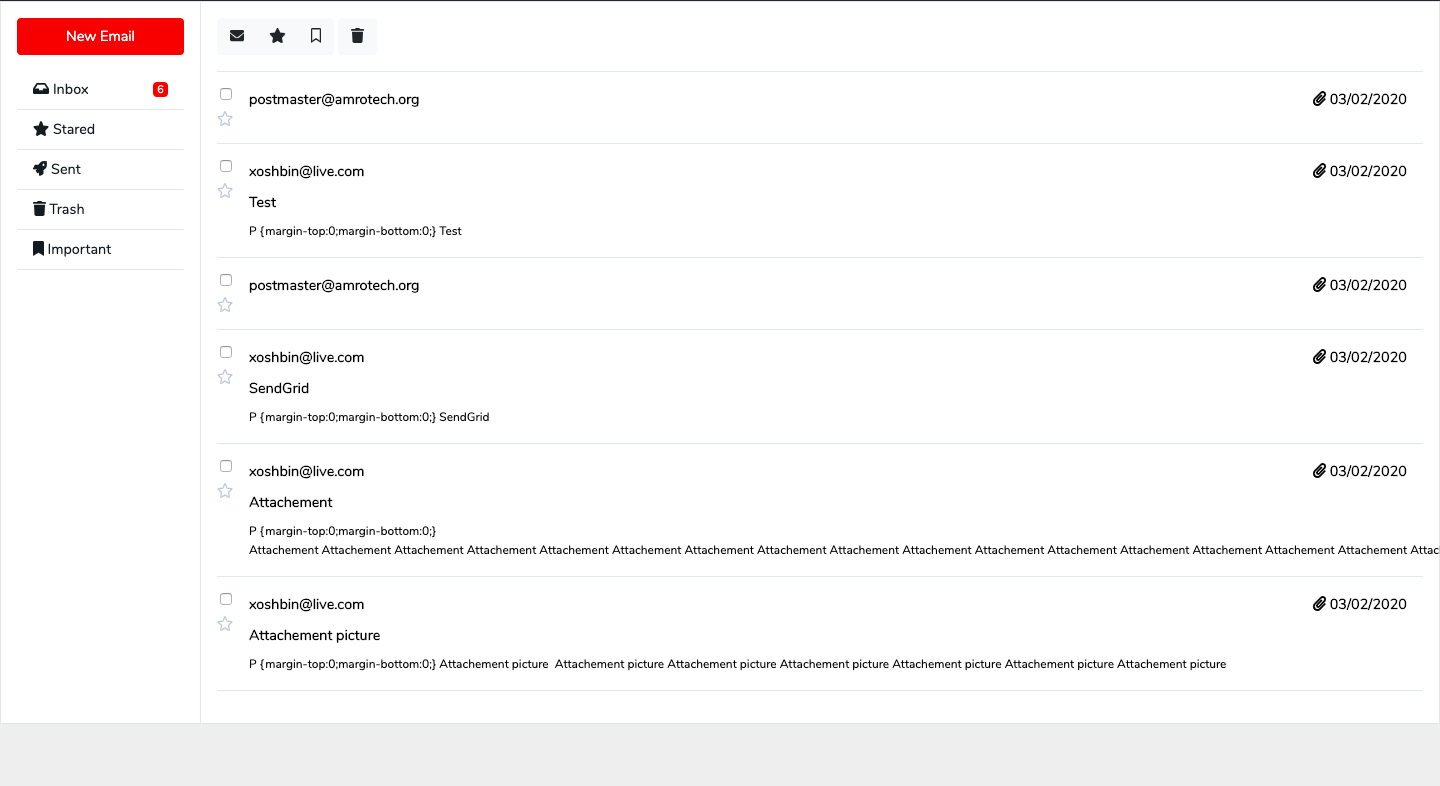
After connecting your email provider you can visit the inbox interface from url /inbox/dashboard like that:
example.com/inbox/dashboard
You can also add the inbox feature to your own blades.
includes this scripts and css file in you blade.
    <!-- css scripts -->
    <link href="{{asset(mix('app.css', 'vendor/inbox'))}}" rel="stylesheet">
    <link href="{{asset(mix('all.css', 'vendor/inbox'))}}" rel="stylesheet">
    <link rel="stylesheet" href="sweetalert2.min.css">
    <!-- js scripts -->
    <script src="//cdn.jsdelivr.net/npm/sweetalert2@11"></script>
    <script src="{{asset(mix('app.js', 'vendor/inbox'))}}"></script>
Now add the below code in the blade area in which you want to show your inbox.
    <div class="row" id="app">
        <div class="col-12">
            @include('inbox::includes.nav')
            <div class="email-rightbar mb-3">
                <div class="card">
                    <router-view></router-view>
                </div>
            </div>
        </div>
    </div>
TO-DO
- Changing views to vue components.
- Saving sent emails.
- Adding tests.
Bootstrap Template
special thanks to Bootstrap snippet. bs4 beta email inbox
License
The MIT License (MIT). Please see License File for more information.