
ekumanov / flarum-ext-inline-audio

Automatically converts audio file links into inline players in posts, with optional [player] BBCode tag
Package info
github.com/ekumanov/flarum-ext-inline-audio
Language:JavaScript
Type:flarum-extension
pkg:composer/ekumanov/flarum-ext-inline-audio
Requires
- php: ^8.2
- flarum/core: ^2.0
Requires (Dev)
None
Suggests
None
Provides
None
Conflicts
None
Replaces
None
This package is auto-updated.
Last update: 2026-09-24 15:15:57 UTC
README
ℹ️ If you've been using Inline Audio (aka Audio URL to Player), that extension has been abandoned. This is a fresh, actively maintained replacement built for Flarum 2.0+ (and 1.8 via the
1.xbranch).
ℹ️ Developed with the help of Claude Code (Anthropic) — disclosed per Flarum Discuss guidelines on AI-assisted extension development.
Inline Audio Player
A Flarum extension that automatically converts audio file links in posts into clickable filenames backed by a shared overlay player bar, with an optional [player] BBCode tag.
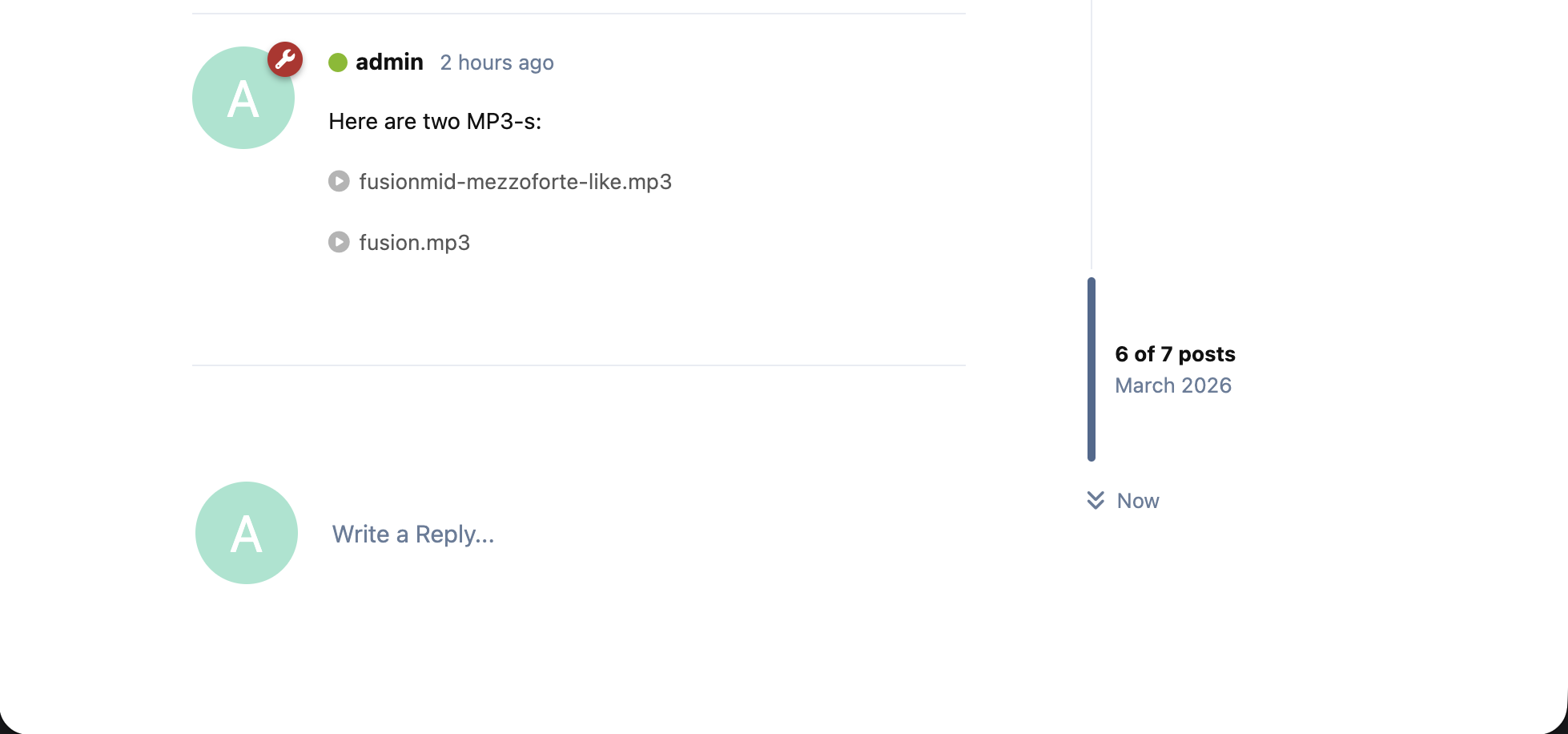
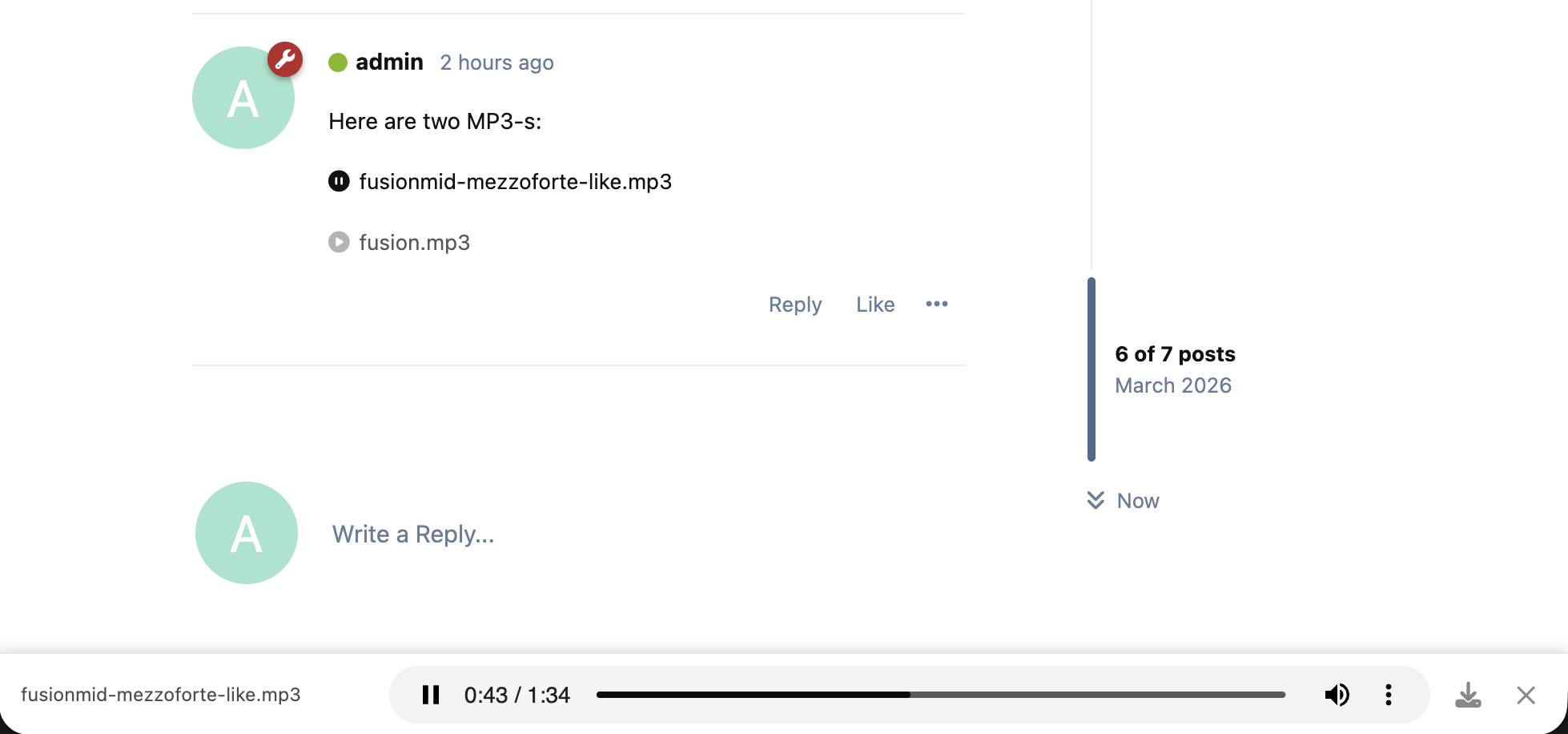
Audio links are replaced with a compact filename button. Clicking it loads the track into a fixed player bar at the bottom of the page — keeping posts clean while giving you a persistent, always-visible player.
Features
- Auto-detects links to audio files and replaces them with a clickable filename — no BBCode required
- Clicking a filename loads it into a shared overlay player bar fixed at the bottom of the page
- Clicking the same filename again toggles play/pause
- Clicking the track name in the bar scrolls back to the source post
- A circle-play icon precedes each filename in the post; it switches to a pulsating circle-pause while that track is playing
- When a new track starts, any currently playing audio is stopped automatically — one track at a time
- Right-click a filename to get the browser's native "Save link as" menu (configurable)
- Download button in the player bar; works correctly in all browsers including Safari (opt-in via admin settings)
- Auto-play on first click is configurable
[player]URL[/player]BBCode for explicit embedding — identical behavior to auto-detected links- The player bar follows the Flarum theme (light/dark) rather than the OS theme
- On narrow screens the filename expands to fill available width; audio controls shrink to their natural size
- The bar has a close button that stops playback and dismisses the bar
- Bar rises above the Flarum composer when it is open
- Accessible: keyboard navigation, screen reader labels, respects
prefers-reduced-motion - Works seamlessly with FoF Upload when using a filename-link upload template (see below)
Supported formats: mp3 · wav · ogg · flac · m4a · aac · webm · mp4 · mpeg · mpg · wave
Installation
composer require ekumanov/flarum-ext-inline-audio
Update
composer update ekumanov/flarum-ext-inline-audio
php flarum cache:clear
Uninstall
composer remove ekumanov/flarum-ext-inline-audio
Admin Settings
All settings are found under Extensions → Inline Audio Player in the admin panel.
| Setting | Default | Description |
|---|---|---|
| Show download button on player bar | Off | Adds a download icon to the overlay player bar |
| Allow right-click on filename to save | On | Renders the in-post filename as an <a download> link, enabling the browser's native "Save link as" on right-click |
| Start playing immediately when a filename is clicked | On | Auto-plays the track when loaded; disable to require a manual play press |
| Hide numeric prefix from uploaded filenames | On | Strips the timestamp-userId- prefix that FoF Upload adds (e.g. 1774205518-685373-song.mp3 → song.mp3) |
Embedding audio — three ways
The extension picks up audio links from three sources, all rendering into the same player bar. Pick whichever reads cleanest in your post.
Quick capability matrix
| Feature | Raw URL | Markdown | BBCode |
|---|---|---|---|
| Display name | filename | ✓ link text | ✓ title="…" |
| Offset | ✓ #t=N (s) |
✓ #t=N (s) |
✓ start= (s / mm:ss / h:mm:ss) |
Raw URL — just paste the link. The filename is shown. Append #t=N for a seconds-based offset:
https://ex.com/song.mp3
https://ex.com/song.mp3#t=83
Markdown link — link text becomes the title:
[My Song](https://ex.com/song.mp3)
[My Song](https://ex.com/song.mp3#t=83)
BBCode — explicit title= and start= attributes, with friendlier offset formats:
[player]https://ex.com/song.mp3[/player]
[player title="My Song"]https://ex.com/song.mp3[/player]
[player start=1:23]https://ex.com/song.mp3[/player]
[player title="My Song" start=1:23]https://ex.com/song.mp3[/player]
When no title is provided — raw URL or [player] without title= — the player derives the display name from the last segment of the URL, decoded. E.g. https://ex.com/audio/1234-985-some-song.mp3 → 1234-985-some-song.mp3. The "Hide numeric prefix from uploaded filenames" admin setting (on by default) further strips the FoF Upload timestamp-userId- prefix, leaving some-song.mp3.
The title — whether typed as Markdown link text or BBCode title= — is used in the in-post button, the player bar, and the OS lock-screen / Media Session metadata (so headphones, car displays, watch widgets, and the macOS Now Playing widget all show it).
About quotes in BBCode
title=needs quotes only when the value contains spaces (title="My Song"). Single-word titles can stay unquoted (title=Beethoven).start=never needs quotes, but accepts them —start=0:40,start="0:40", andstart='0:40'are all equivalent. The parser strips quotes before validating, so adding them by reflex (becausetitle=needs them) is harmless.
FoF Upload Integration
If you use FoF Upload and want audio files to automatically render as inline players after uploading — without requiring users to manually wrap links in [player] tags — you can register a filename-link upload template in your forum's extend.php.
FoF Upload does not ship with this template; add it yourself as follows:
use FoF\Upload\Contracts\Template;
use FoF\Upload\File;
use Flarum\Foundation\AbstractServiceProvider;
use FoF\Upload\Helpers\Util;

class FilenameLink implements Template
{
    public function tag(): string   { return 'filenamelink'; }
    public function name(): string  { return 'Filename link'; }
    public function description(): string { return 'Generates a link with the filename as text'; }

    // fof/upload 2.0.0-beta.7+ declares this optional $displayName parameter
    // on the interface. Omitting it is a fatal error for every PHP process
    // that boots Flarum (queue worker, scheduler, console), so keep it.
    public function preview(File $file, ?string $displayName = null): string
    {
        $label = trim(preg_replace('/\s+/u', ' ', (string) $displayName));

        return '[' . ($label !== '' ? $label : $file->base_name) . '](' . $file->url . ')';
    }
}

class FilenameLinkServiceProvider extends AbstractServiceProvider
{
    public function register()
    {
        $this->container->make(Util::class)
            ->addRenderTemplate($this->container->make(FilenameLink::class));
    }
}

// In your return array:
(new Extend\ServiceProvider())->register(FilenameLinkServiceProvider::class),
Once registered, select Filename link as the upload template in the FoF Upload admin settings.
To restrict the template to audio files only, set a MIME type filter in FoF Upload using this regex:
^audio\/(flac|x-flac|mp3|x-mp3|mpg|mpeg|mpeg3|x-mpeg|x-mpeg3|x-mpg|x-mp4a|x-mpegaudio|mp4|vnd.wave|wav|wave|x-wav|x-pn-wav|ogg|x-ogg|x-ogg-flac)
Compatibility
| Branch | Flarum version |
|---|---|
main (this) |
Flarum 2.0+ |
1.x |
Flarum 1.8 |