
dontpayfull / global-price-parser

Read prices, currencies and page signals from text or HTML worldwide.
Package info
github.com/dontpayfull/global-price-parser
Language:TypeScript
pkg:composer/dontpayfull/global-price-parser
Requires
- php: >=8.1
- ext-mbstring: *
Requires (Dev)
- phpunit/phpunit: ^10.5
Suggests
None
Provides
None
Conflicts
None
Replaces
None
README
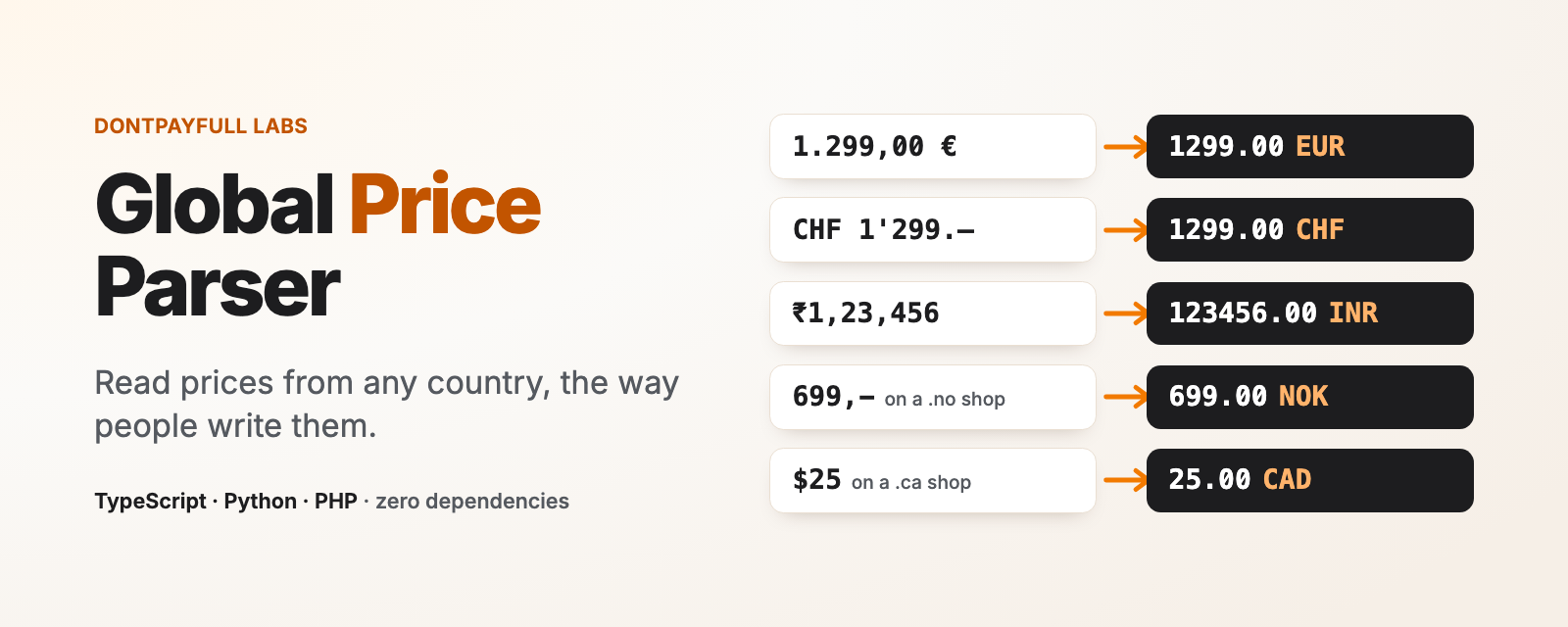
Global Price Parser
Read prices from text or HTML in any country: the exact amount, the ISO 4217 currency, and an honest flag when the reading is not certain.

import { parsePrice } from 'global-price-parser'

parsePrice('1.299,00 €')     // 1299.00 EUR
parsePrice("CHF 1'299.–")    // 1299.00 CHF
parsePrice('₹1,23,456')      // 123456.00 INR
parsePrice('59.900 د.ك')     // 59.900 KWD
parsePrice('$25')            // 25.00 USD, currencySure: false
parsePrice('$25', { url: 'https://shop.example.ca/p/1' })
                             // 25.00 CAD, decidedBy: 'url.tld'
Documentation and examples: dontpayfull.com/labs/global-price-parser
- Every currency in Unicode CLDR: 162 currencies, 255 regions, symbols,
codes and local names (
zł,lei,Kč,руб.,ر.س). - Reads plain text, HTML strings and DOM elements.
- When a symbol fits several currencies (
$,kr,¥), it looks at the page and the URL to decide, and says when it is still not sure. - No AI, no network, no runtime dependencies. Same input, same output.
Built at DontPayFull, where we track coupon codes and deals for 20,000+ online stores in multiple countries.
Install
npm install global-price-parser
Works in Node.js 18+ and in browsers. ESM and CommonJS, types included.
Also for Python and PHP, with the same data and the same results (checked on the same 8,700+ test cases):
pip install global-price-parser
composer require dontpayfull/global-price-parser
See the Python README and the PHP README.
What you get back
parsePrice returns one Price or null:
parsePrice('$25', { url: 'https://shop.example.ca/p/1' })
{
  amount: '25.00',         // exact, with the currency's decimals
  value: 25,               // the same amount as a number
  currency: 'CAD',         // ISO 4217, or null
  currencySure: true,      // only one currency is possible
  otherCurrencies: [],     // what else the symbol could mean
  decidedBy: 'url.tld',    // what decided the currency
  conflicts: [],           // signals that disagreed with the symbol
  symbol: '$',             // as written
  negative: false,
  ambiguous: null,         // { reason, alternative } if 2 readings
  struck: false,           // HTML only: crossed out
  per: null,               // { unit: 'kilogram', quantity: 1 }
  range: null,             // 'from' or 'to' in "$10 - $20"
  raw: '$25',              // the matched text
  index: 0                 // its position in the text
}
amount is a string so that 19.99 stays 19.99. It has at least
as many decimals as the currency (1299 for JPY, 1299.00 for EUR,
59.900 for KWD); extra digits written in the price are kept
(19,9999 € is 19.9999).
Text, HTML or a DOM element
import { parsePrice, parsePrices } from 'global-price-parser'

// One price: the first one with a currency that is not struck through
parsePrice('Now 49,90 € instead of 59,90 €')

// Every price with a currency
parsePrices('Abo: 9,99 €/Monat, Set ab 1.299,00 €')
// 9.99 EUR per month, 1299.00 EUR

// HTML string: tags, entities, struck prices, <sup> cents
parsePrices('<del>$79.99</del> <ins>$59<sup>99</sup></ins>')
// 79.99 (struck: true), 59.99

// A DOM element, in the browser or with jsdom
parsePrice(document.querySelector('.product-price'))
How big is the discount? The struck price and the new one, both read:
const [was, now] = parsePrices('<del>$79.99</del> $59.99')
Math.round((1 - now.value / was.value) * 100)   // 25 (% off)
This is the check behind every deal and coupon code on DontPayFull: the price before, the price after, in the shop's own currency.
In HTML it:
- joins a price split over several elements
(
<span>1.299</span><span>,00</span><span>€</span>); - reads cents in
<sup>, but not footnotes ($999<sup>1</sup>) orm<sup>2</sup>; - marks
<del>,<s>andline-throughprices asstruck; - skips scripts, hidden elements and screen-reader copies, so Amazon
style markup gives one price, not
$39.99$39.99.
When it reads a DOM element, it also reads the signals of the page the element is in.
How it picks the currency
The symbol written next to the number always wins. 25 € is EUR on any
page. Page and URL signals only choose between the currencies a symbol
can mean: $ can be USD, CAD, AUD, MXN and 26 more; kr can be SEK,
NOK, DKK or ISK.
Signals, in the order they count:
| Source | Example | decidedBy |
|---|---|---|
| Your options | { currency: 'CAD' }, { country: 'NO' }, { language: 'en-CA' } |
hint.currency, hint.country, hint.language |
| Shop platform | Shopify active currency, BigCommerce, PrestaShop, Magento, VTEX, WooCommerce, Shopware | page.platform:shopify |
| Tracking | dataLayer ecommerce, gtag, fbq, Klaviyo |
page.tracking:datalayer |
| Structured data | JSON-LD priceCurrency, microdata, og:price:currency |
page.jsonld, page.microdata, page.meta |
| URL | ?currency=CAD |
url.query |
| Country of the page | Shopify or PrestaShop country, ?country=CA, hreflang of the page, <html lang="en-CA">, /en-ca/ or /ca/fr/ in the path, .ca domain |
page.platform:shopify, url.query, url.hreflang, page.lang, url.path, url.tld |
| Nothing | $ alone |
default |
default uses the most common currency for the symbol ($ USD,
kr SEK, kr. DKK, ¥ JPY, £ GBP, lei RON) and sets
currencySure: false.
A currency is sure only when one currency is possible. Two signals of
the same kind that disagree (a page with offers in USD and CAD) leave
it unsure, and so does a language without a region ({ language: 'en' }
guesses the US, it does not decide).
A signal that points to a currency the symbol cannot mean is ignored and
listed in conflicts. Some signals are never used because they mislead:
the Shopify base currency, og:locale, <html lang> without a region,
tags inside HTML comments or scripts, and domains like .co, .io,
.ai or .ag.
Short abbreviations that are also words or units (R, L, KM, Le)
count as a currency only when a hint or the page confirms it: 100 KM
is a distance until the page says Bosnia.
Options
parsePrice(input, {
  currency: 'EUR',      // the currency you know the price is in
  country: 'NO',        // the shop's country (ISO 3166-1)
  language: 'de-CH',    // the page language (BCP 47)
  url: 'https://...',   // the page URL
  page: html,           // page HTML or Document to read signals from
  html: true,           // force HTML mode for a string
})
All optional. A number without a currency, like 19,99, takes its
currency from these options or from the page. That applies to
parsePrice only: parsePrices lists numbers written with a currency.
Formats it reads
| Written as | Reads as |
|---|---|
1.299,00 €, 1 299,00 €, €1,299.00 |
1299.00 EUR |
CHF 1'299.–, Fr. 1’299.50 |
1299.00 CHF, 1299.50 CHF |
12,-, 3.999.-, 5 990.- |
12.00, 3999.00, 5990.00 |
₹1,23,456 |
123456.00 INR |
¥12,800 |
12800 JPY (could be CNY) |
59.900 KWD |
59.900 KWD |
٣٤٫٥٠ ر.س |
34.50 SAR |
€5 99 |
5.99 EUR |
CHF-1'234, -249,80 lei |
negative amounts |
$10 - $20 |
two prices, range: 'from' and 'to' |
29,99 €/kg, 4,99 €/100 g, 199 lei/lună, $9.99/mo |
per unit, in any CLDR language |
1.234 with no currency |
1234.00, ambiguous.alternative: '1.234' |
Digits from every Unicode script (Arabic-Indic, Persian, Devanagari, Thai and others) are read like 0-9.
Page signals only
import { readPageSignals } from 'global-price-parser'

readPageSignals(html, { url: 'https://shop.example.com/en-au/p/1' })
// {
//   currency: [{ source: 'page.platform:shopify', currency: 'AUD' }],
//   country: [{ source: 'url.path', country: 'AU' }],
//   language: null
// }
Why not Intl.NumberFormat or a regex
Intl.NumberFormat writes prices but cannot read them back. A regex like
/[^0-9.]/g turns 1.299,00 € into 1.29900. Prices on real pages mix
both separators, local symbols and markup.
If you use price-parser in Python, this covers the same ground, plus HTML and page signals, and it has a Python version too.
Limits
- A separator followed by exactly three digits groups thousands, unless
the currency has three decimals:
1,799 €/l(fuel per litre) reads as 1799.00 EUR. - Accounting brackets are not read as negative:
(15.00)is 15.00. - In plain text there is no "struck" information:
Was $59.99, now $39.99gives 59.99 first. Use HTML, orparsePricesand pick yourself. - It does not run the page's JavaScript, convert currencies, or read amounts written in words.
License
Apache-2.0. Currency, region and unit data come from Unicode CLDR (Unicode License v3), see NOTICE.
If it is useful to you, a mention of DontPayFull in your project is welcome. More open source from the team: DontPayFull Labs.
Made with ❤️ by the DontPayFull team
Coupon codes and deals for 20,000+ online stores