
dkd-dobberkau / fal-photo-browser

Stock photo browser for TYPO3 backend - Powered by Unsplash
Package info
github.com/dkd-dobberkau/fal-photo-browser
Type:typo3-cms-extension
pkg:composer/dkd-dobberkau/fal-photo-browser
Requires
- php: ^8.2
- symfony/http-client: ^7.0
- typo3/cms-backend: ^14.0
- typo3/cms-core: ^14.0
Requires (Dev)
None
Suggests
- b13/aim: Run the Photo Assistant through a provider managed in EXT:aim (0.5.1 or newer)
Provides
None
Conflicts
None
Replaces
None
README
A TYPO3 extension for searching and importing stock photos directly in the TYPO3 backend.
Powered by Unsplash
Features
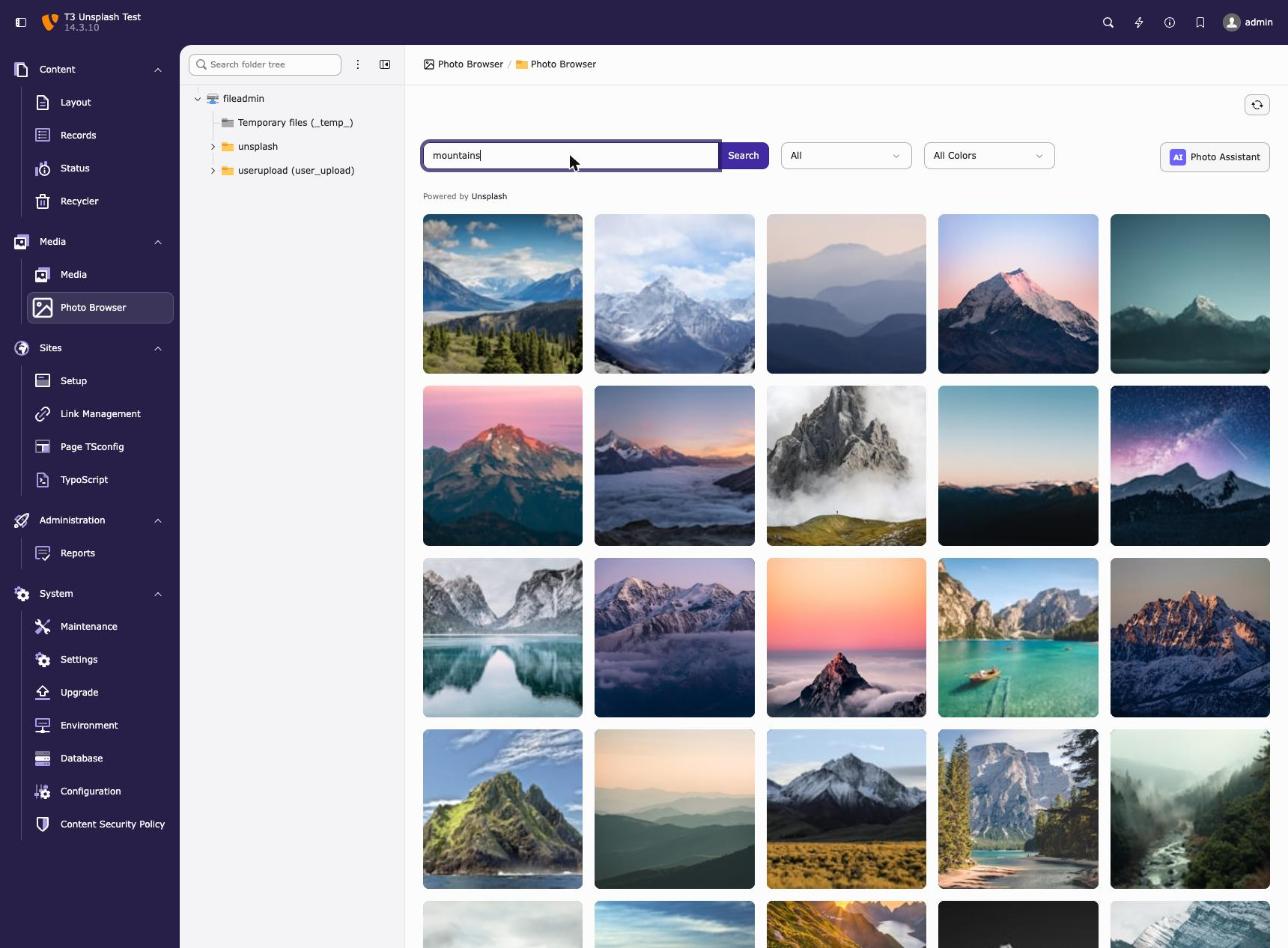
- Backend Module: Dedicated module under "Media" for browsing and importing photos
- Advanced Search: Filter by text, orientation (landscape, portrait, square), and color
- Local Import: Downloads images to your fileadmin for GDPR compliance and performance
- Automatic Metadata: Populates title, description, and alt text, and photographer info, plus copyright and source if
EXT:filemetadatais installed - Download Tracking: Complies with Unsplash API guidelines by tracking downloads
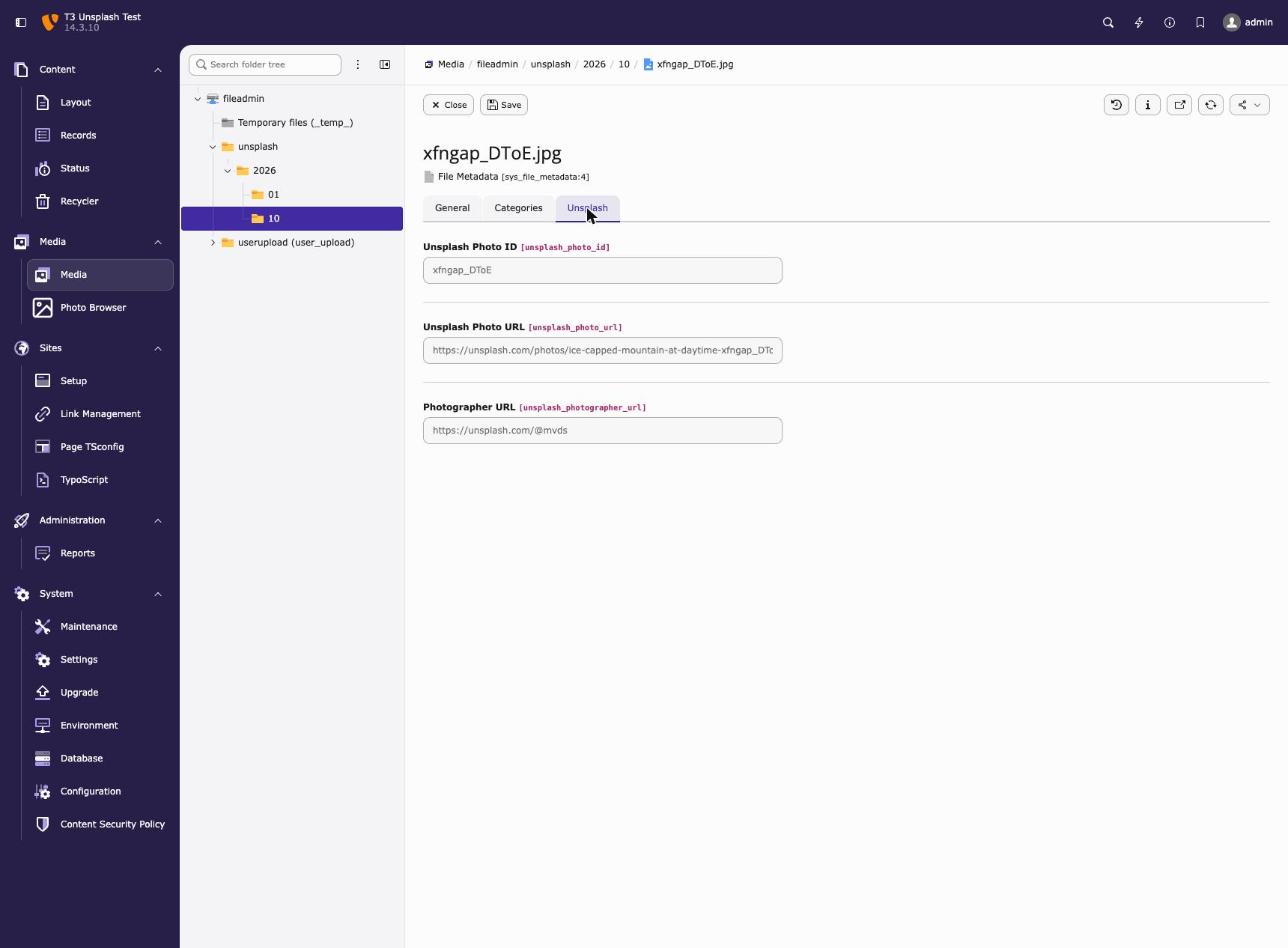
- Custom Metadata Fields: Stores Unsplash photo ID, URL, and photographer name and URL for reference
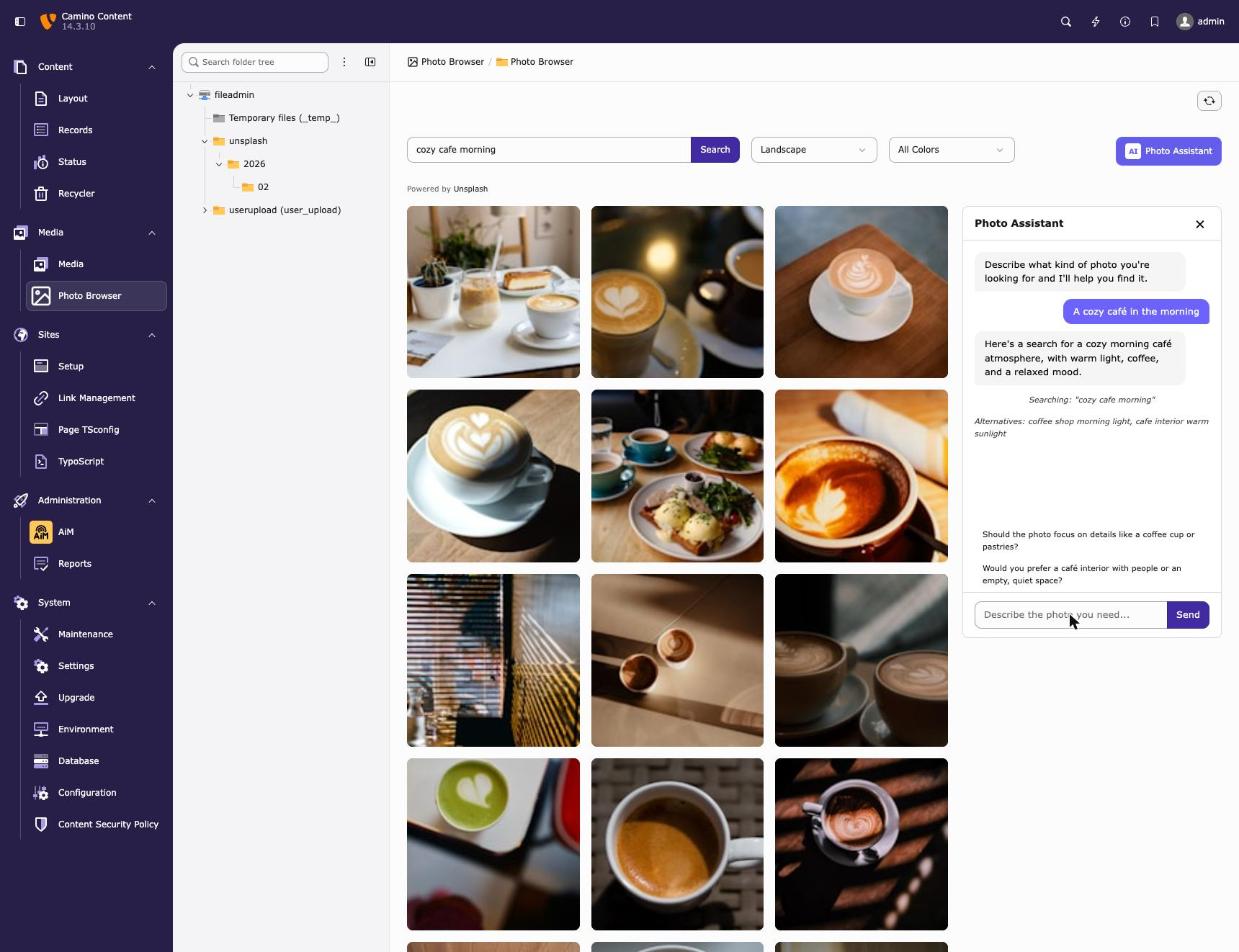
- AI Photo Assistant (optional): Describe the photo you need in your own words and get matching search terms and filters
Requirements
- TYPO3 v14.0+
- PHP 8.2+
- Unsplash API Access Key (Get one here)
- For the optional Photo Assistant: EXT:aim with a configured provider, or an Anthropic API key (Get one here)
Installation
Via Composer (recommended)
composer require dkd-dobberkau/fal-photo-browser
Manual Installation
- Download the extension
- Place it in
packages/dkd_fal_photo_browser/ - Add the path repository to your
composer.json:
{
    "repositories": [
        {
            "type": "path",
            "url": "packages/*"
        }
    ]
}
- Run
composer require dkd-dobberkau/fal-photo-browser:@dev
Activate Extension
vendor/bin/typo3 extension:setup --extension=dkd_fal_photo_browser
Configuration
API Key Setup
Set the UNSPLASH_ACCESS_KEY environment variable with your Unsplash API key.
DDEV
Add to .ddev/config.yaml:
web_environment:
  - UNSPLASH_ACCESS_KEY=your_access_key_here
Apache/Nginx
SetEnv UNSPLASH_ACCESS_KEY your_access_key_here
fastcgi_param UNSPLASH_ACCESS_KEY your_access_key_here;
Docker
environment:
  - UNSPLASH_ACCESS_KEY=your_access_key_here
Photo Assistant (optional)
The Photo Assistant can run through EXT:aim or call the Claude API directly. If EXT:aim is installed and has an enabled provider with conversation support, the assistant uses it. Otherwise it falls back to the Claude API. The choice applies to the whole installation: if EXT:aim denies a user or fails, the request fails and does not fall back.
With EXT:aim
Requires b13/aim 0.5.1 or newer and a Symfony AI bridge for your provider, for example:
composer require b13/aim:^0.5.1 symfony/ai-platform:^0.15 symfony/ai-anthropic-platform:^0.15
Then create a provider in the AiM backend module. API key, model, and request logging are managed there. Tested with claude-sonnet-5-5. EXT:aim states that it is tested up to Symfony AI 0.11, which does not know this model yet, so use symfony/ai-platform:^0.11 if you prefer claude-sonnet-5 or older.
With an Anthropic API key
Set the ANTHROPIC_API_KEY environment variable the same way as UNSPLASH_ACCESS_KEY above:
web_environment:
  - ANTHROPIC_API_KEY=your_api_key_here
Photo search and import work without this key.
Content Security Policy
The extension automatically registers CSP rules to allow loading thumbnail images from images.unsplash.com in the backend.
Usage
- Navigate to Media > Photo Browser in the TYPO3 backend
- Enter a search term (e.g., "mountains", "office", "technology")
- Optionally filter by orientation or color
- Click Import on any photo to download it
Photo Assistant
If the Photo Assistant is enabled, click Photo Assistant and describe what you need instead of searching by keyword, for example "a cozy café in the morning". The assistant replies in your language, creates English search terms, suggests orientation and color filters, and offers follow-up ideas to refine the search.
Imported Images
Imported images are stored in fileadmin/unsplash/YYYY/MM/ with full metadata including:
- Title and description
- Alt text
- Photographer name and URL
- Original Unsplash URL
If the TYPO3 system extension EXT:filemetadata (typo3/cms-filemetadata) is installed, the creator, copyright notice, and source fields are filled as well.
File Structure
dkd_fal_photo_browser/
├── Classes/
│   ├── Controller/
│   │   └── PhotoBrowserController.php
│   ├── Domain/
│   │   └── Dto/
│   │       └── UnsplashPhoto.php
│   └── Service/
│       ├── FileImportService.php
│       └── UnsplashApiService.php
├── Configuration/
│   ├── Backend/
│   │   ├── AjaxRoutes.php
│   │   └── Modules.php
│   ├── ContentSecurityPolicies.php
│   ├── Icons.php
│   ├── Services.yaml
│   └── TCA/
│       └── Overrides/
│           └── sys_file_metadata.php
├── Resources/
│   ├── Private/
│   │   ├── Language/
│   │   │   └── locallang_mod.xlf
│   │   └── Templates/
│   │       └── Backend/
│   │           └── Index.html
│   └── Public/
│       ├── Css/
│       │   └── backend.css
│       ├── Icons/
│       │   └── module-falphotobrowser.svg
│       └── JavaScript/
│           └── photo-browser.js
├── composer.json
├── ext_emconf.php
└── ext_tables.sql
Metadata Fields
The extension adds custom fields to sys_file_metadata:
| Field | Description |
|---|---|
unsplash_photo_id |
Original Unsplash photo ID |
unsplash_photo_url |
Link to photo on Unsplash |
unsplash_photographer_name |
Photographer's name |
unsplash_photographer_url |
Link to photographer's profile |
These fields appear in a dedicated "Unsplash" tab when editing file metadata.
API Compliance
This extension follows Unsplash API Guidelines:
- Downloads are tracked via the API (required)
- Photographer attribution is stored in metadata
- "Powered by Unsplash" attribution in the UI
- Images are hotlink-free (downloaded locally)
Data Protection
The Photo Assistant sends the messages you type, including the earlier messages of the conversation, to the Anthropic API or, with EXT:aim, to the provider configured there. The search terms it creates are sent to the Unsplash API. Do not enter personal or confidential data in the chat, and check whether your organization needs a data processing agreement before you enable it.
If neither is set up, no chat data leaves your installation.
Support
Please report bugs and feature requests in the GitHub issue tracker.
License
GPL-2.0-or-later