
danlapteacru / wp-patterns-debug

Pattern registry browser and block/pattern debug panel for the WordPress block editor.
Package info
github.com/danlapteacru/wp-patterns-debug
Language:TypeScript
Type:wordpress-plugin
pkg:composer/danlapteacru/wp-patterns-debug
Requires
- php: >=8.1
- composer/installers: ^1.0 || ^2.0
Requires (Dev)
None
Suggests
None
Provides
None
Conflicts
None
Replaces
None
This package is auto-updated.
Last update: 2026-10-15 09:20:36 UTC
README
Adds two debugging surfaces to the WordPress block editor (post editor and site editor):
Pattern browser
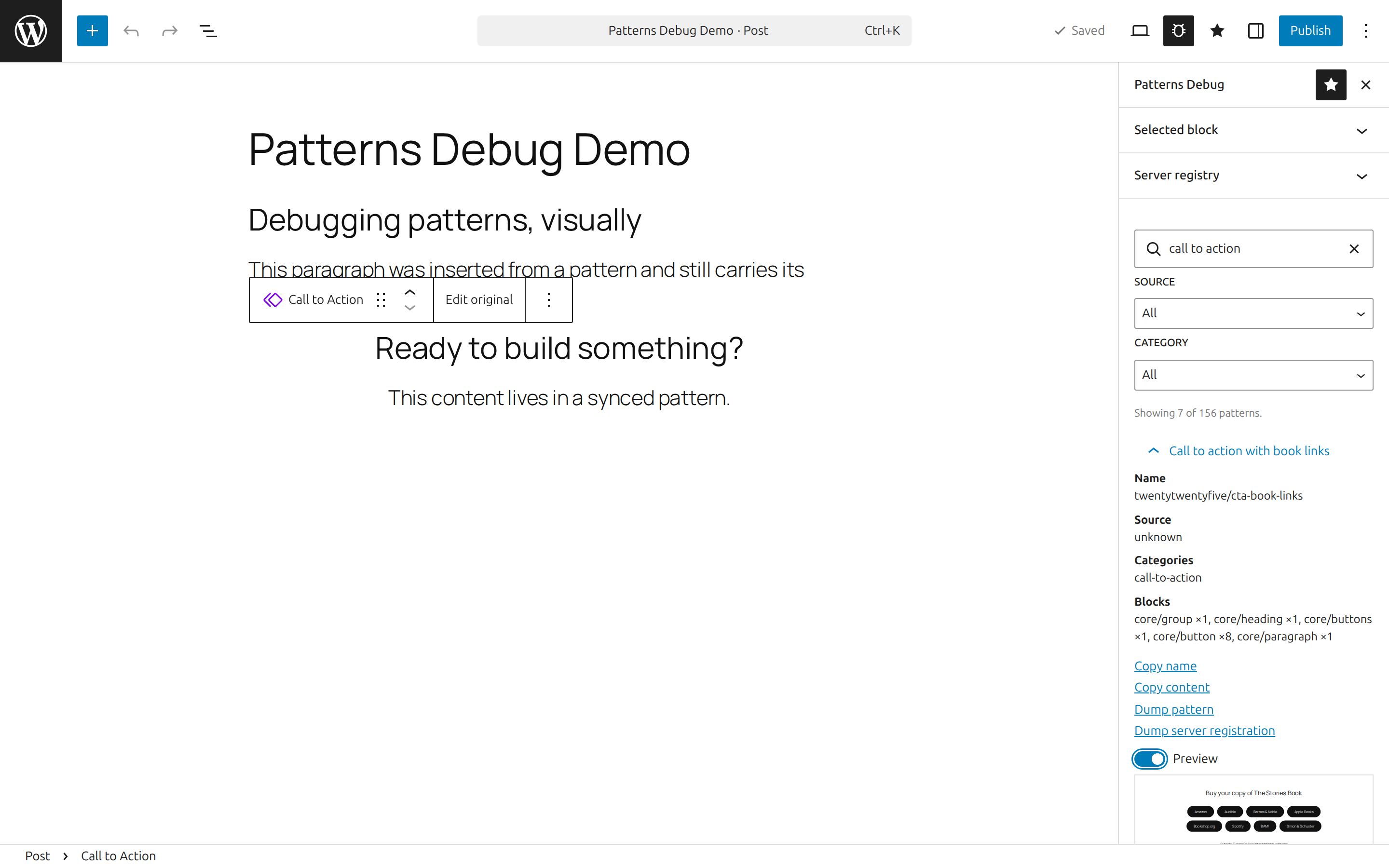
A pinnable Patterns Debug sidebar with a Selected block debug panel on top, followed by a browser listing every pattern the editor knows about:
- Registered patterns from the client stores (core, theme, plugin, pattern directory), plus user patterns (
wp_blockposts) with their sync status. - Search plus source and category filters.
- Per pattern: metadata (source, categories, block types, sync status, inserter visibility), a recursive block-usage count, copy name/content, a JSON dump, and a live
BlockPreview. - A Server registry section backed by a REST endpoint (
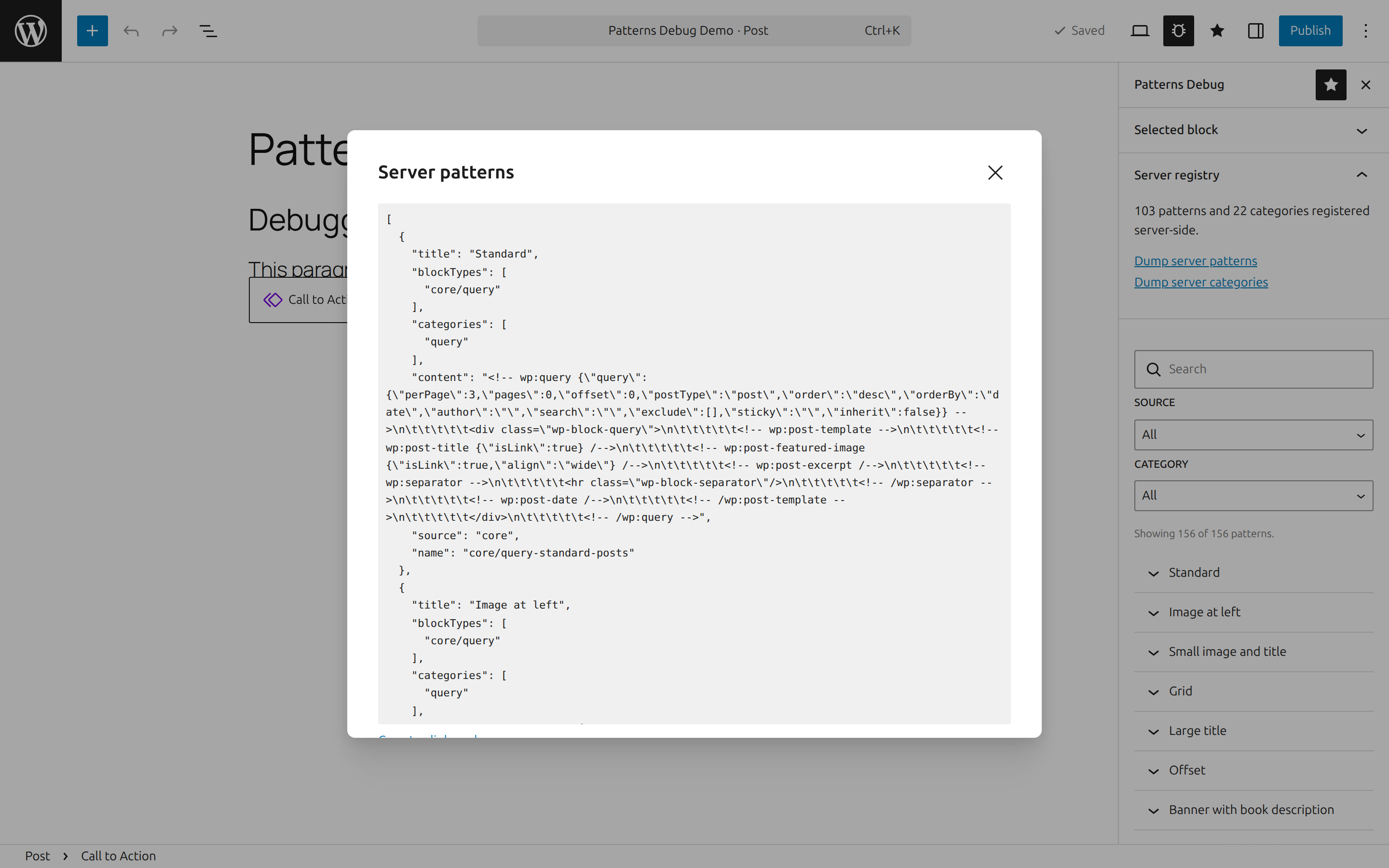
wp-patterns-debug/v1/registry) that dumps the raw server-sideWP_Block_Patterns_Registryand category registry — including patterns hidden from the inserter — exactly as PHP registered them.
Block debug panel
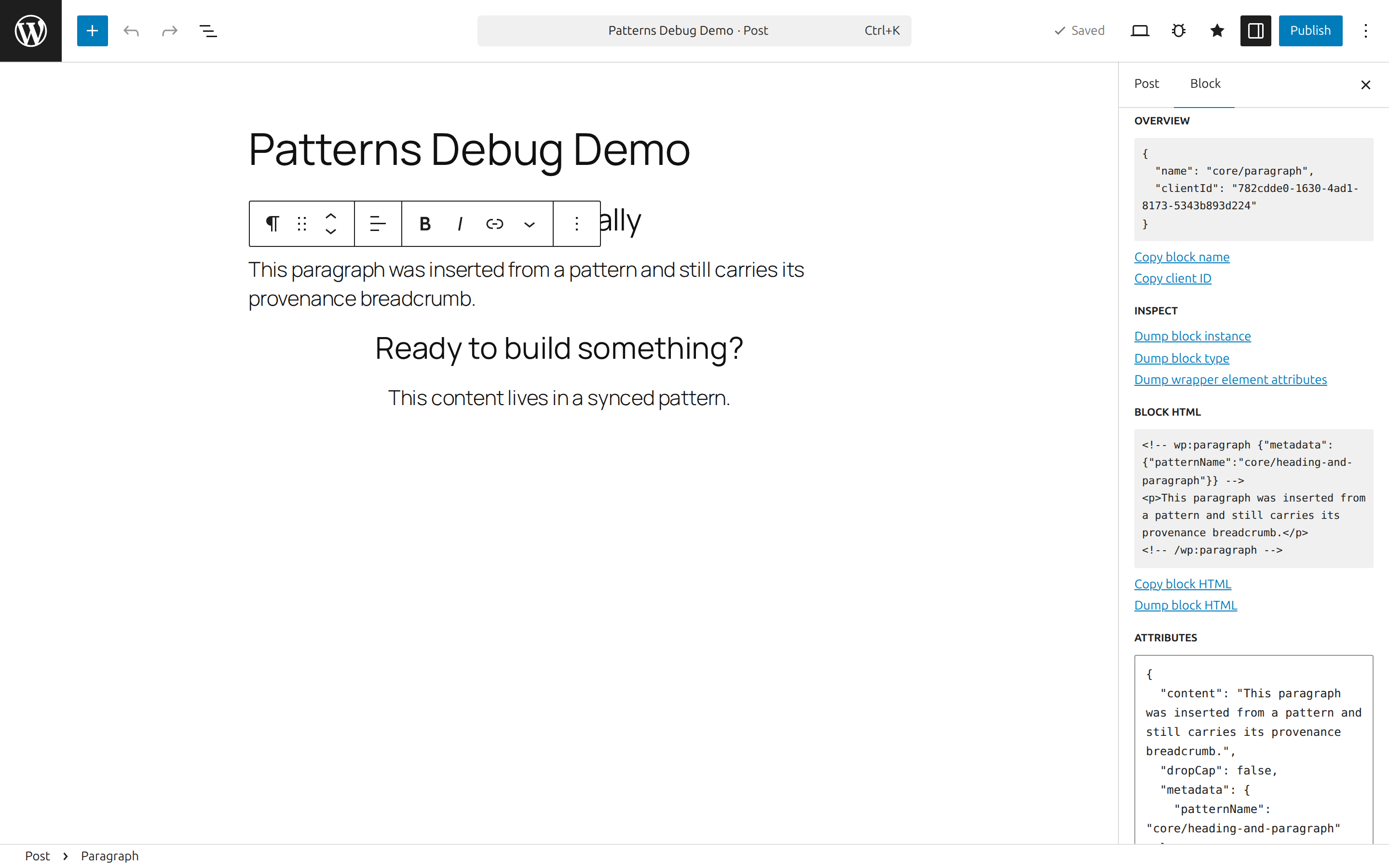
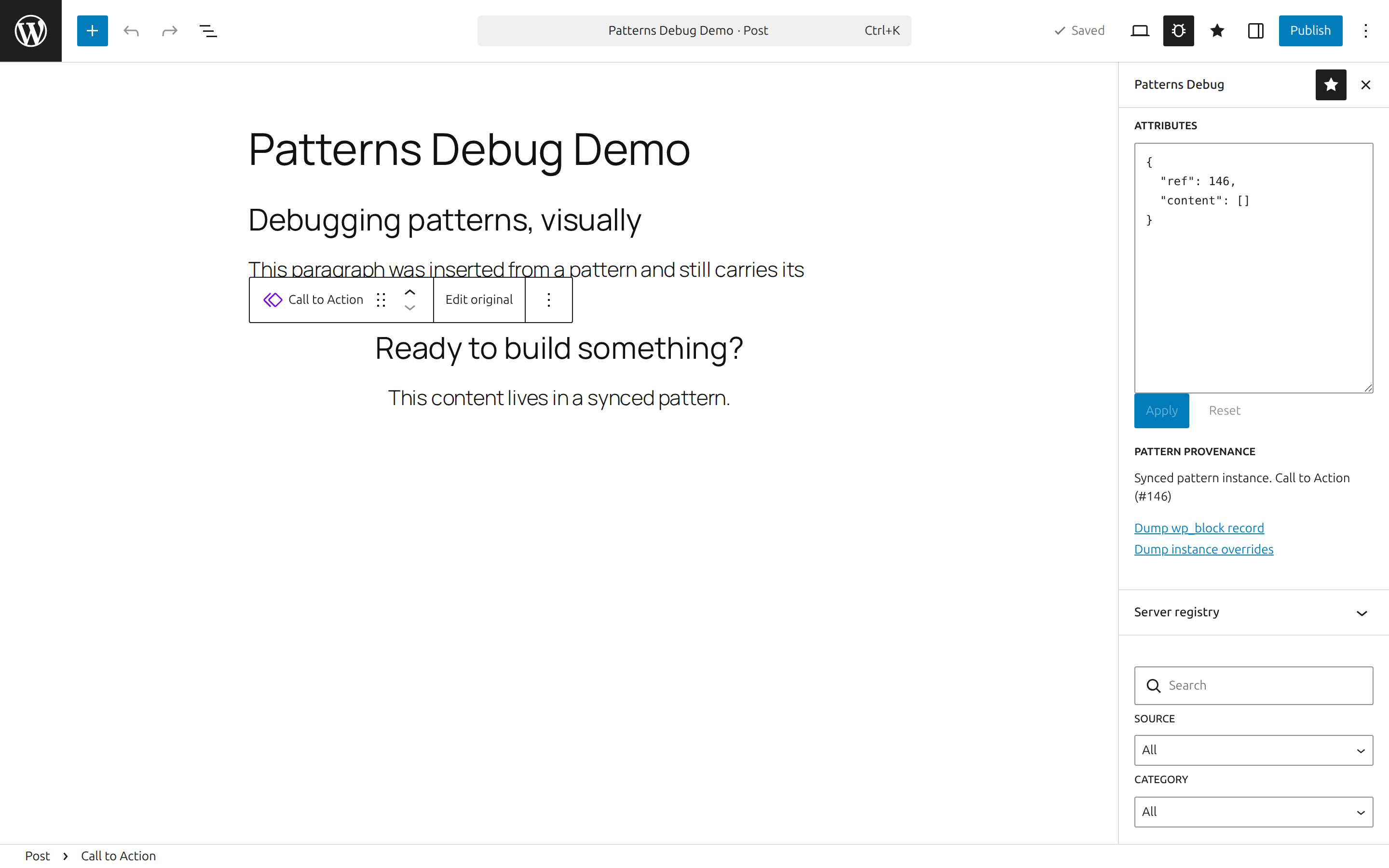
A Debug panel in the block inspector for the selected block, and the same panel as Selected block in the plugin sidebar. The sidebar copy matters: the block inspector renders no panels at all for synced pattern instances (core/block), so the sidebar is the only place they can be debugged.
- Overview (name, client ID) with copy actions.
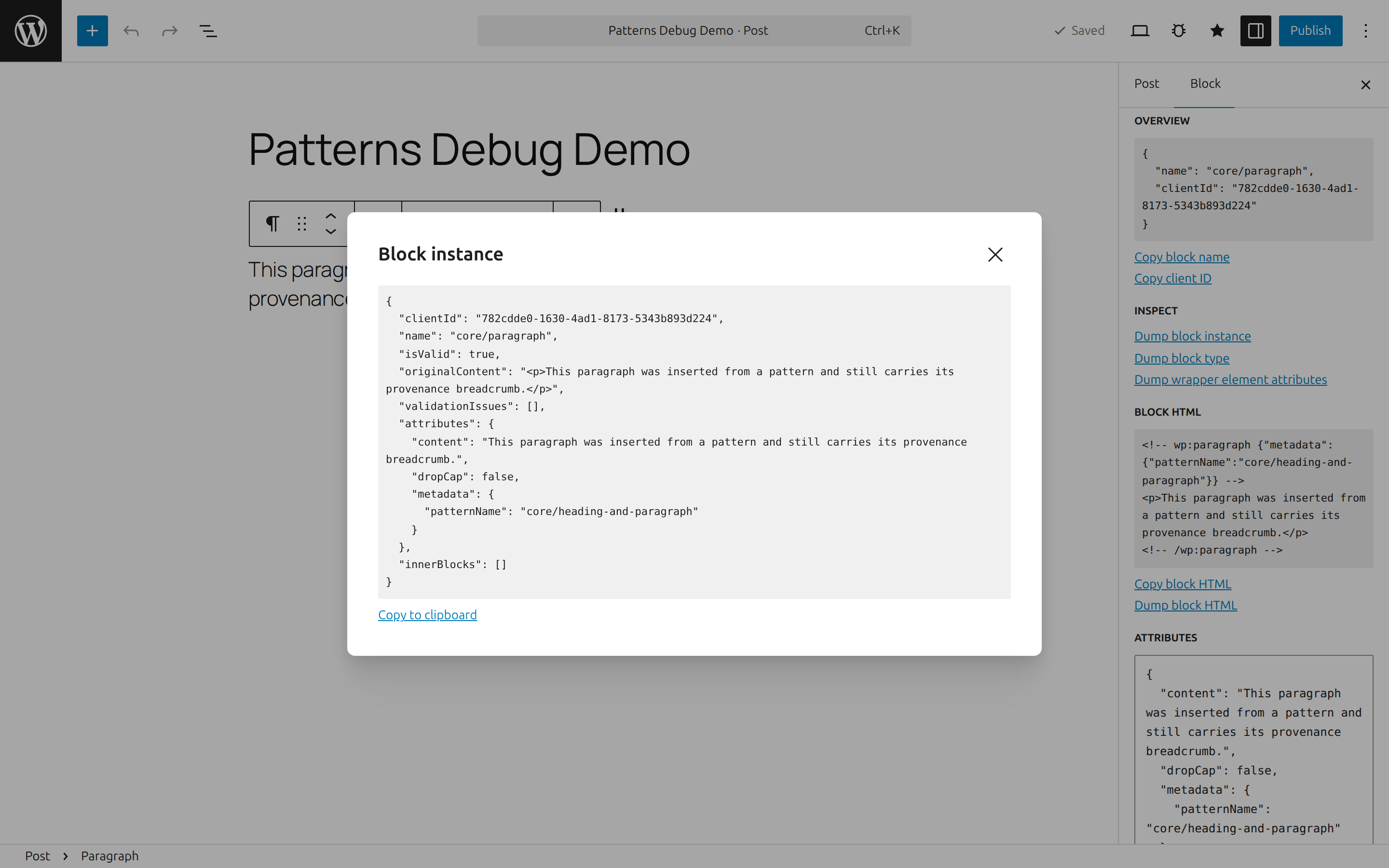
- Dumps: block instance, block type, the wrapper element's rendered DOM attributes, serialized block HTML.
- Attributes editor: the block's attributes as raw, validated JSON. Apply/reset; deleting a key removes the attribute; keys outside the block type's attribute schema are flagged but allowed.
- Pattern provenance: shows when the selected block is a synced pattern instance (
core/blockref,wp_blockrecord, per-instance overrides) or was inserted from a pattern (metadata.patternName), with dumps of the source pattern.
Screenshots
Debug panel in the block inspector — overview, dumps, serialized HTML, and the raw JSON attributes editor:
Dump modals — pretty-printed, copyable dumps of the block instance, block type, or wrapper element:
Pattern browser — search and filter every registered and user pattern, with metadata, block counts, and live previews:
Synced pattern provenance — the sidebar's Selected block panel debugging a core/block instance (the block inspector renders no panels for these):
Server registry — the raw server-side pattern registry, dumped over REST, including patterns hidden from the inserter:
Installation
Via Composer:
composer require danlapteacru/wp-patterns-debug
Or clone/download into wp-content/plugins/wp-patterns-debug — built assets are committed, so no build step is needed.
Requirements
- WordPress 6.6+ (unified
@wordpress/editorplugin APIs,react-jsx-runtime). - PHP 8.1+.
Access control
All debug surfaces (assets and the REST endpoint) require the view_patterns_debug capability, mapped to edit_posts by default. Remap it by filtering map_meta_cap at a priority above 0:
add_filter( 'map_meta_cap', function ( $caps, $cap ) {
	if ( 'view_patterns_debug' === $cap ) {
		$caps = [ 'manage_options' ];
	}

	return $caps;
}, 10, 2 );
Development
npm install
npm run build      # production build into build/
npm run start      # watch mode
npm run test       # jest unit tests
npm run typecheck  # tsc --noEmit
npm run lint:js    # eslint (WordPress config)
The plugin loads vendor/autoload.php when present but does not require Composer; a minimal PSR-4 autoloader covers src/.
License
GPL-2.0-or-later