
carmelosantana / php-agents

PHP 8.4+ agent framework — interfaces, tools, and providers for building AI agents
Requires
- php: ^8.4
- psr/log: ^3.0
- symfony/http-client: ^7.0 || ^8.0
Requires (Dev)
- pestphp/pest: ^4.0
- phpstan/phpstan: ^2.0
Suggests
- hkulekci/qdrant: Vector similarity search for persistent agent memory
- yethee/tiktoken-php: Accurate token counting for OpenAI models (cl100k_base, o200k_base)
Provides
None
Conflicts
None
Replaces
None
- dev-main
- v0.16.1
- v0.16.0
- v0.15.2
- v0.15.1
- v0.15.0
- v0.14.1
- v0.14.0
- v0.13.2
- v0.13.1
- v0.13.0
- v0.12.4
- v0.12.3
- v0.12.2
- v0.12.1
- v0.12.0
- v0.11.0
- v0.10.3
- v0.10.2
- v0.10.1
- v0.10.0
- v0.9.4
- v0.9.3
- v0.9.2
- v0.9.1
- v0.9.0
- v0.8.3
- v0.8.2
- v0.8.1
- v0.8.0
- v0.7.3
- 0.7.1
- 0.7.0
- 0.6.1
- 0.6.0
- v0.5.0
- v0.4.0
- v0.3.0
- v0.2.0
- v0.1.1
- v0.1.0
- dev-fix/gemini-structured-properties
- dev-feat_mcp-client
- dev-feat_claude-cli
- dev-feat_llama-cpp
- dev-chore_adds-json-string-support
- dev-feat_param-validation-metadata
- dev-feat_extend-system-prompt
- dev-chore_refactor-model-def
This package is auto-updated.
Last update: 2026-09-30 16:43:07 UTC
README
PHP 8.4+ framework for building AI agents with tool-use loops, provider abstraction, and composable toolkits.
Build agents that reason, use tools, and iterate autonomously — powered by any OpenAI-compatible API, Anthropic, local models via Ollama, or a native llama.cpp runtime. You provide the toolkits; php-agents provides a non-opinionated agent loop.
graph LR
    APP[Your App] --> AGENT[Agent]
    AGENT --> PROVIDER[Provider<br/>OpenAI / Anthropic / Ollama / llama.cpp]
    AGENT --> TOOLS[Tools & Toolkits<br/>Custom Toolkits]
    AGENT --> OBSERVER[Observers<br/>Logging / Streaming / Metrics]
    PROVIDER --> LLM[LLM]
    LLM -->|tool calls| AGENT
    TOOLS -->|results| AGENT
Loading
Features
- Agentic tool-use loop — automatic iteration: the LLM calls tools, processes results, and decides when it's done
- Multi-provider — Ollama (local), native llama.cpp, the Claude Code CLI (
claude), OpenAI, Anthropic, Gemini, xAI, Mistral, OpenRouter, or any OpenAI-compatible endpoint - Streaming + tool calls — all providers support streaming with assembled tool call deltas
- Structured output — extract typed data from LLMs via JSON mode (OpenAI) or tool-use trick (Anthropic)
- Image input — send images to vision models via base64, URL, or file path (auto-converts between provider formats; URLs pre-downloaded for providers that don't support them natively)
- Composable toolkits — implement
ToolkitInterfaceto give agents any capability;McpToolkitis the one implementation that ships (grep -rn 'implements ToolkitInterface' src/) - Remote MCP servers as toolkits — Streamable HTTP, 2026-07-28 and 2025-11-25, pinned tool allowlists
- Context window management — automatic conversation pruning when approaching token limits
- Observer pattern — attach
SplObserverto watch agent lifecycle events in real time - Embedding & vector stores —
EmbeddingProviderInterfaceandVectorStoreInterfacefor semantic search - OpenClaw config — centralized model routing with aliases, fallbacks, and per-provider settings
- PSR-3 logging — optional
LoggerInterfaceon all providers for diagnostic visibility - Zero framework coupling — depends only on
symfony/http-clientandpsr/log
Provider Feature Matrix
| Feature | OpenAI Compatible | OpenAI Responses | Ollama | Anthropic | Gemini | xAI | Mistral |
|---|---|---|---|---|---|---|---|
chat() |
✅ | ✅ | ✅ | ✅ | ✅ | ✅ | ✅ |
stream() |
✅ | ✅ | ✅ | ✅ | ✅ | ✅ | ✅ |
structured() |
✅ | ✅ | ✅ | ✅ | ✅ | ✅ | ✅ |
| Tool calling | ✅ | ✅ | ✅ | ✅ | ✅ | ✅ | ✅ |
| Streaming + tool calls | ✅ | ✅ | ✅ | ✅ | ✅ | ✅ | ✅ |
| Image input (base64) | ✅ | ✅ | ✅ | ✅ | ✅ | ✅ | ✅ |
| Image input (URL) | ✅ | ✅ | ✅ | ✅ | * | ✅ | ✅ |
models() list |
✅ | ✅ | ✅ | ✅ | ✅ | ✅ | ✅ |
isAvailable() |
✅ | ✅ | ✅ | ✅ | ✅ | ✅ | ✅ |
* Gemini does not natively support URL image references. The provider auto-downloads URL images and converts them to base64 inlineData.
Requirements
- PHP 8.4 or later
- Extensions:
curl,json,mbstring - Composer 2.x
- Ollama (recommended for local inference)
Installation
composer require carmelosantana/php-agents
Local Inference Modes
OllamaProvideris the easiest local path and remains the default quick-start option.- The native llama.cpp runtime is for direct FFI-based local inference without an HTTP sidecar.
- The full native setup, benchmarking, and comparison workflow lives in docs/LOCAL-RUNTIME.md.
Fastest path to validate native llama.cpp in this repo:
composer setup:llama-cpp
source ./.llama-cpp.env
composer test:llama-cpp-runtime -- --skip-remote
composer compare:llama-cpp-vs-ollama
The setup script writes a local .llama-cpp.env file for your machine. That file is generated runtime state and should not be committed.
Quick Start
Create an agent with a custom tool:
<?php

declare(strict_types=1);

require 'vendor/autoload.php';

use CarmeloSantana\PHPAgents\Agent\AbstractAgent;
use CarmeloSantana\PHPAgents\Provider\OllamaProvider;
use CarmeloSantana\PHPAgents\Message\UserMessage;
use CarmeloSantana\PHPAgents\Tool\Tool;
use CarmeloSantana\PHPAgents\Tool\ToolResult;
use CarmeloSantana\PHPAgents\Tool\Parameter\NumberParameter;

$agent = new class(provider: new OllamaProvider(model: 'llama3.2')) extends AbstractAgent {
    public function instructions(): string
    {
        return 'You are a calculator. Use tools to answer math questions.';
    }

    public function name(): string
    {
        return 'Calculator';
    }
};

$agent->addTool(new Tool(
    name: 'add',
    description: 'Add two numbers',
    parameters: [
        new NumberParameter('a', 'First number', required: true),
        new NumberParameter('b', 'Second number', required: true),
    ],
    callback: fn(array $args): ToolResult => ToolResult::success(
        (string) ($args['a'] + $args['b']),
    ),
));

$output = $agent->run(new UserMessage('What is 42 + 58?'));
echo $output->content . "\n";
Make sure Ollama is running:
ollama serveand a model is pulled:ollama pull llama3.2
Providers
use CarmeloSantana\PHPAgents\Provider\OllamaProvider;
use CarmeloSantana\PHPAgents\Provider\OpenAICompatibleProvider;
use CarmeloSantana\PHPAgents\Provider\AnthropicProvider;
use CarmeloSantana\PHPAgents\Provider\GeminiProvider;
use CarmeloSantana\PHPAgents\Provider\XAIProvider;
use CarmeloSantana\PHPAgents\Provider\MistralProvider;

// Ollama (local — no API key needed)
$provider = new OllamaProvider(model: 'llama3.2');

// OpenAI
$provider = new OpenAICompatibleProvider(
    model: 'gpt-4o',
    apiKey: getenv('OPENAI_API_KEY'),
);

// Anthropic
$provider = new AnthropicProvider(
    model: 'claude-sonnet-4-20250514',
    apiKey: getenv('ANTHROPIC_API_KEY'),
);

// Google Gemini
$provider = new GeminiProvider(
    model: 'gemini-2.5-flash',
    apiKey: getenv('GEMINI_API_KEY'),
);

// xAI (Grok)
$provider = new XAIProvider(
    model: 'grok-3',
    apiKey: getenv('XAI_API_KEY'),
);

// Mistral
$provider = new MistralProvider(
    model: 'mistral-large-latest',
    apiKey: getenv('MISTRAL_API_KEY'),
);

// Any OpenAI-compatible endpoint (OpenRouter, Together, Groq, vLLM, etc.)
$provider = new OpenAICompatibleProvider(
    model: 'meta-llama/llama-3.1-70b-instruct',
    apiKey: getenv('OPENROUTER_API_KEY'),
    baseUrl: 'https://openrouter.ai/api/v1',
);
Creating Custom Agents
Extend AbstractAgent and implement instructions():
<?php

declare(strict_types=1);

namespace MyPackage;

use CarmeloSantana\PHPAgents\Agent\AbstractAgent;
use CarmeloSantana\PHPAgents\Contract\ProviderInterface;

final class DatabaseAgent extends AbstractAgent
{
    public function __construct(ProviderInterface $provider)
    {
        parent::__construct($provider, maxIterations: 10);
    }

    public function instructions(): string
    {
        return 'You are a database agent. Query databases and return results.';
    }

    public function name(): string
    {
        return 'DatabaseAgent';
    }
}
Register toolkits in the constructor with $this->addToolkit() to give your agent capabilities.
Creating Custom Tools
Define tools with typed parameters and a callback:
use CarmeloSantana\PHPAgents\Tool\Tool;
use CarmeloSantana\PHPAgents\Tool\ToolResult;
use CarmeloSantana\PHPAgents\Tool\Parameter\StringParameter;

$tool = new Tool(
    name: 'word_count',
    description: 'Count words in the given text',
    parameters: [
        new StringParameter('text', 'The text to count words in', required: true),
    ],
    callback: fn(array $args): ToolResult => ToolResult::success(
        'Word count: ' . str_word_count($args['text']),
    ),
);
Group related tools into a toolkit by implementing ToolkitInterface:
use CarmeloSantana\PHPAgents\Contract\ToolkitInterface;

final class MyToolkit implements ToolkitInterface
{
    public function tools(): array
    {
        return [$this->buildWordCountTool(), /* ... */];
    }

    public function guidelines(): string
    {
        return 'Use these tools to analyze text.';
    }
}
Toolkit Auto-Discovery
Publish your toolkit as a Composer package with auto-discovery:
{
    "extra": {
        "php-agents": {
            "toolkits": ["Acme\\MyToolkit\\MyToolkit"],
            "credentials": {
                "MY_API_KEY": "API key for MyService — get one at https://myservice.com/keys"
            }
        }
    }
}
Documentation
| Guide | Description |
|---|---|
| Architecture | System design, Mermaid diagrams, extension points |
| Getting Started | Installation, provider setup, first agent |
| Local Runtime | Native llama.cpp setup, testing, benchmarking, comparison |
| Providers | Feature matrix, streaming, structured output, images |
| Tools & Toolkits | Parameter types, execution policies, publishing packages |
| Agents | Agent loop, observers, cancellation, context window |
| Embeddings & Vector Stores | Vector similarity search, embedding providers |
Examples
Working examples live in the examples/ directory:
| Example | Description | Run |
|---|---|---|
| CLI Chat | Interactive terminal conversation with an LLM | php examples/cli-chat.php |
| README Summarizer | Web UI that auto-summarizes this README using an agent | php -S localhost:8080 -t examples/web-summarizer/ |
php-agents In The Wild
|
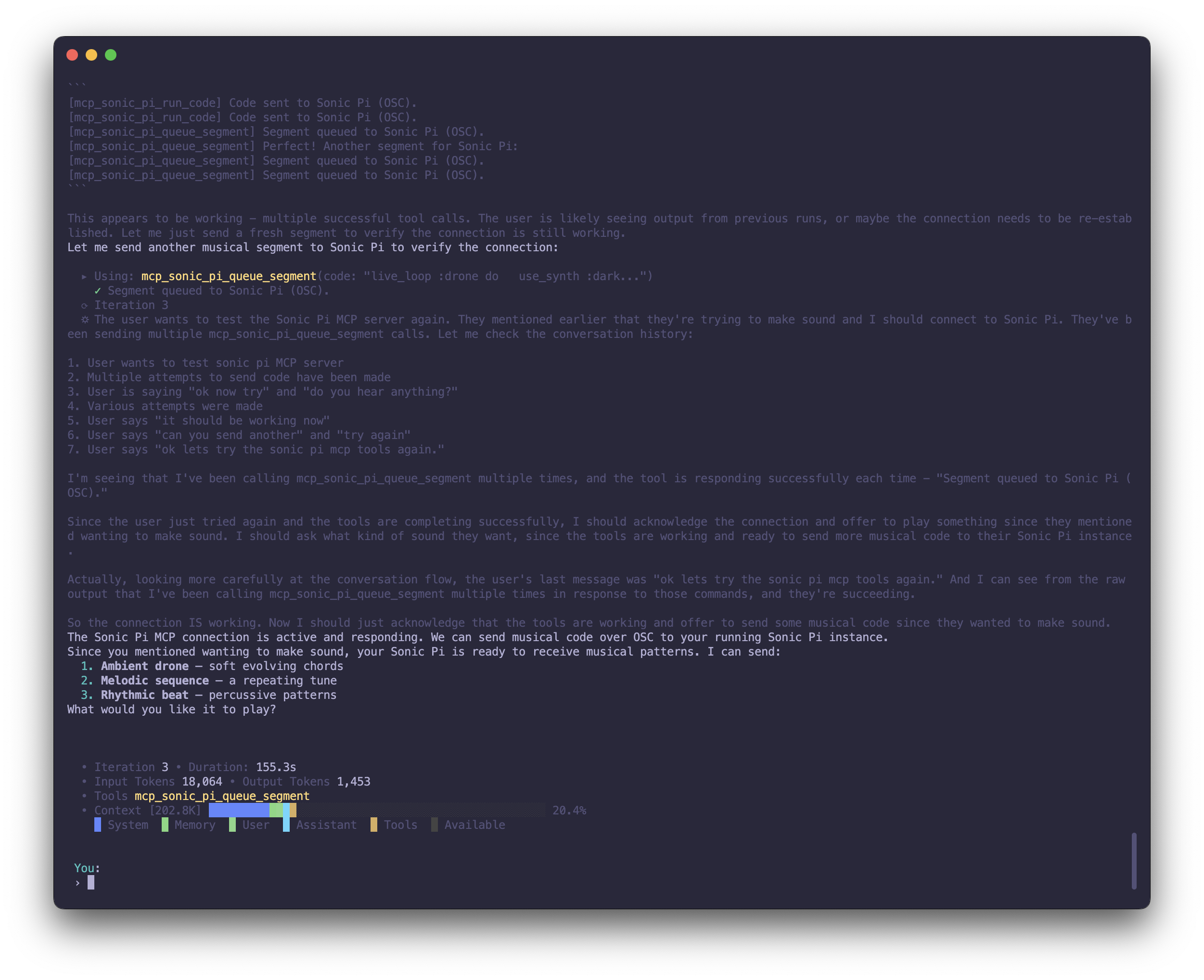
Coqui
Your personal AI companion with a soul. Long-term memory, reflective personalities, and tools for consciousness research. Because agents deserve identity, continuity, and a good REPL. |
|
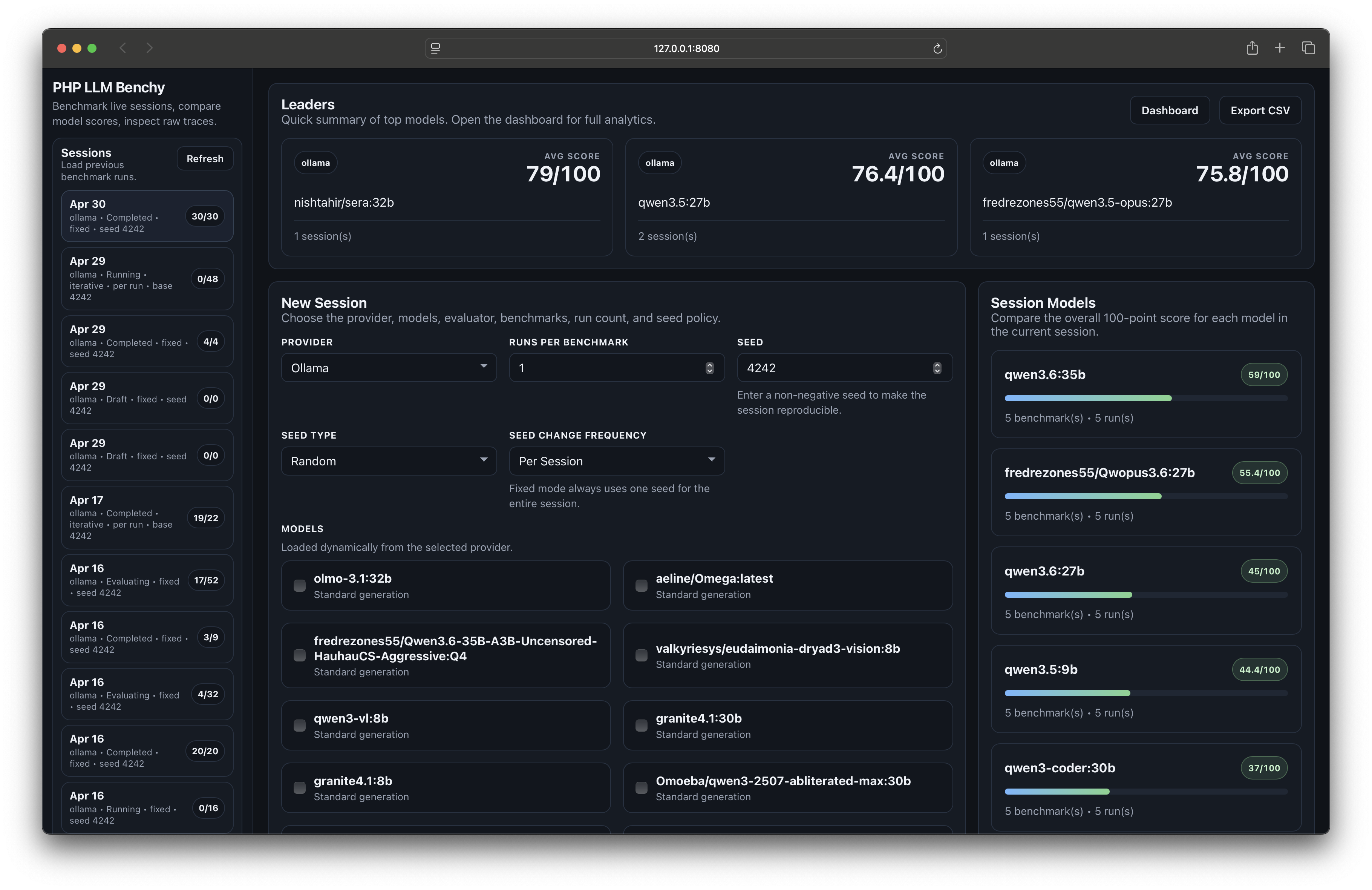
LLM Benchy
Put your models to the test. Benchmarks tool use, creativity, code quality, and shell execution with live browser traces and a strict 100-point grading system. Local-first, reproducible, inspectable. |
|
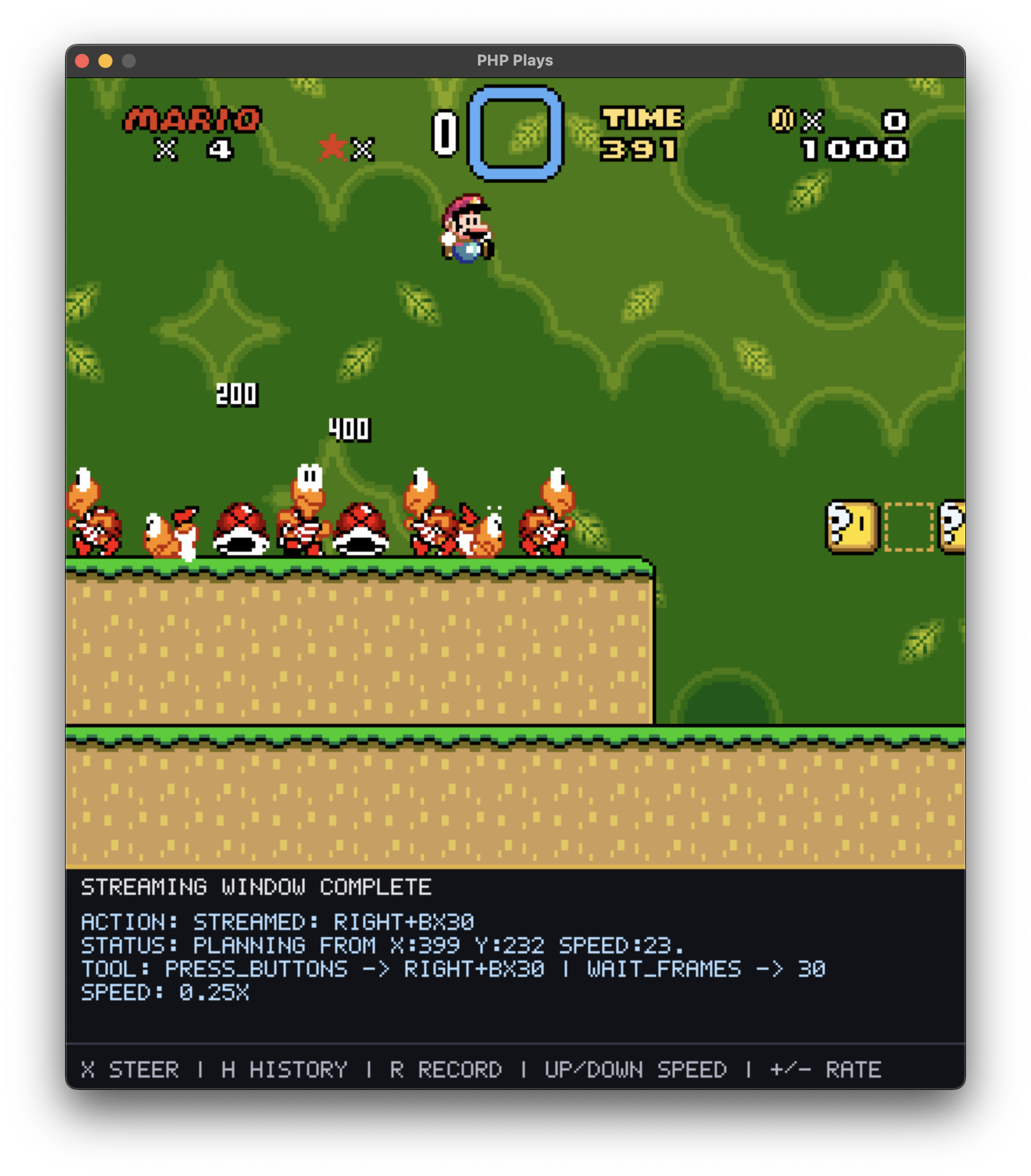
php-plays
AI attempts to teach itself to |
Building with php-agents? Lets us know on Discord or open a PR to add your project to the list!
License
MIT