
1994 / promo-bar-statamic

Promo bars for Statamic: scheduled, targeted announcement bars with call-to-action buttons, countdowns, discount codes and Cargo free-delivery progress, styled in the Control Panel and safe behind static caching.
Package info
github.com/1994limited/promo-bar-statamic
Type:statamic-addon
pkg:composer/1994/promo-bar-statamic
Requires
- php: ^8.3
- statamic/cms: ^6.35
Requires (Dev)
- duncanmcclean/statamic-cargo: ^1.15
- laravel/pint: ^1.20
- orchestra/testbench: ^10.0|^11.0
- phpunit/phpunit: ^12.0
Suggests
- duncanmcclean/statamic-cargo: Shows how far the basket is from free delivery, and discount codes from Cargo's discounts (Cargo ^1.15).
Provides
None
Conflicts
- duncanmcclean/statamic-cargo: <1.15
Replaces
None
README
Announcement and promo bars for your site's marketing: a sale with a countdown and a discount code, free delivery once the basket reaches £40, early access for members. You make them in the Control Panel, and they show and hide when their dates say.
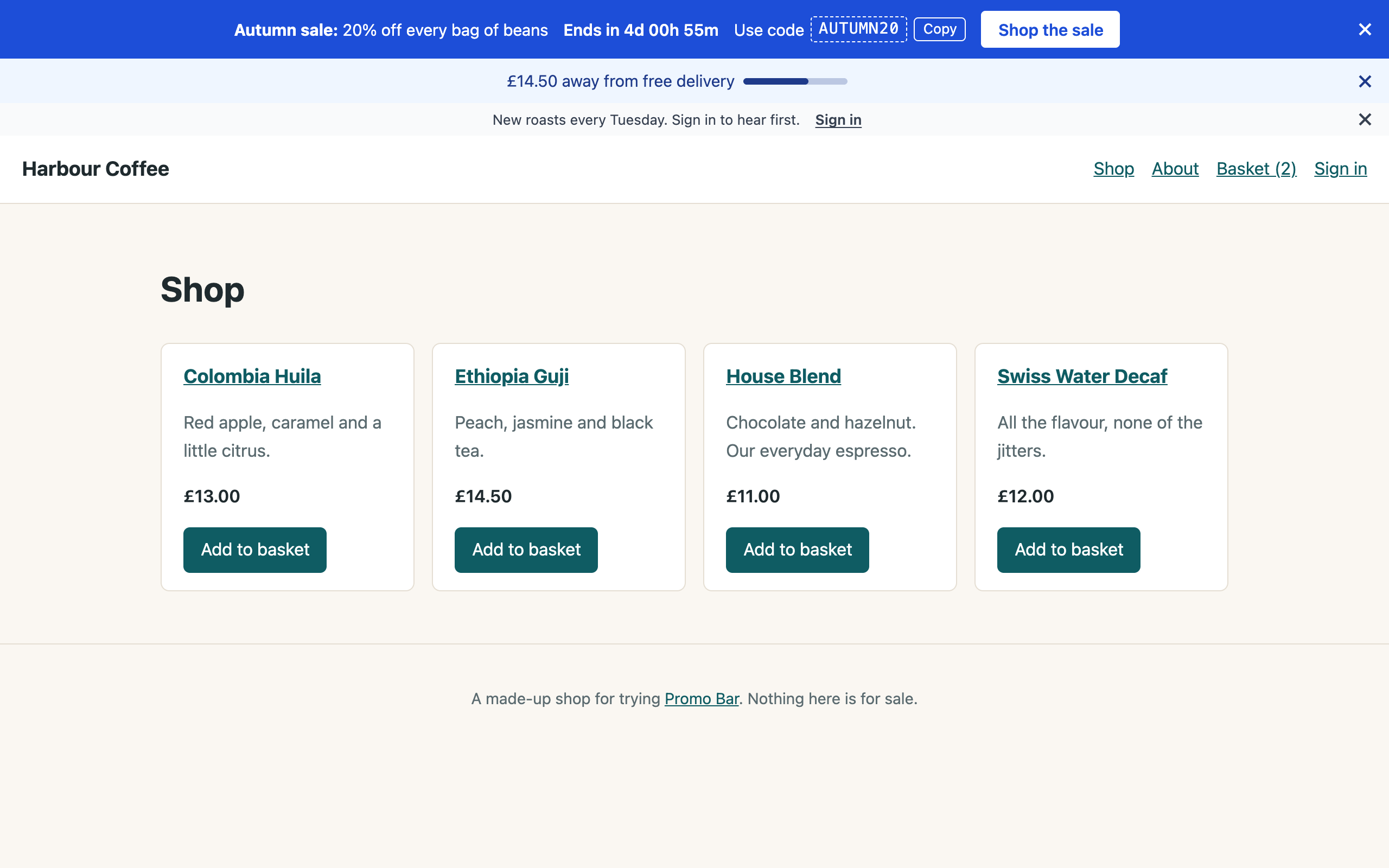
Bars are drawn on the server, so the page doesn't jump, they work without JavaScript, and search engines see them. They're safe behind full static caching: anything that depends on the visitor (signed in or not, what they've dismissed, their basket) is settled in their browser.
Features
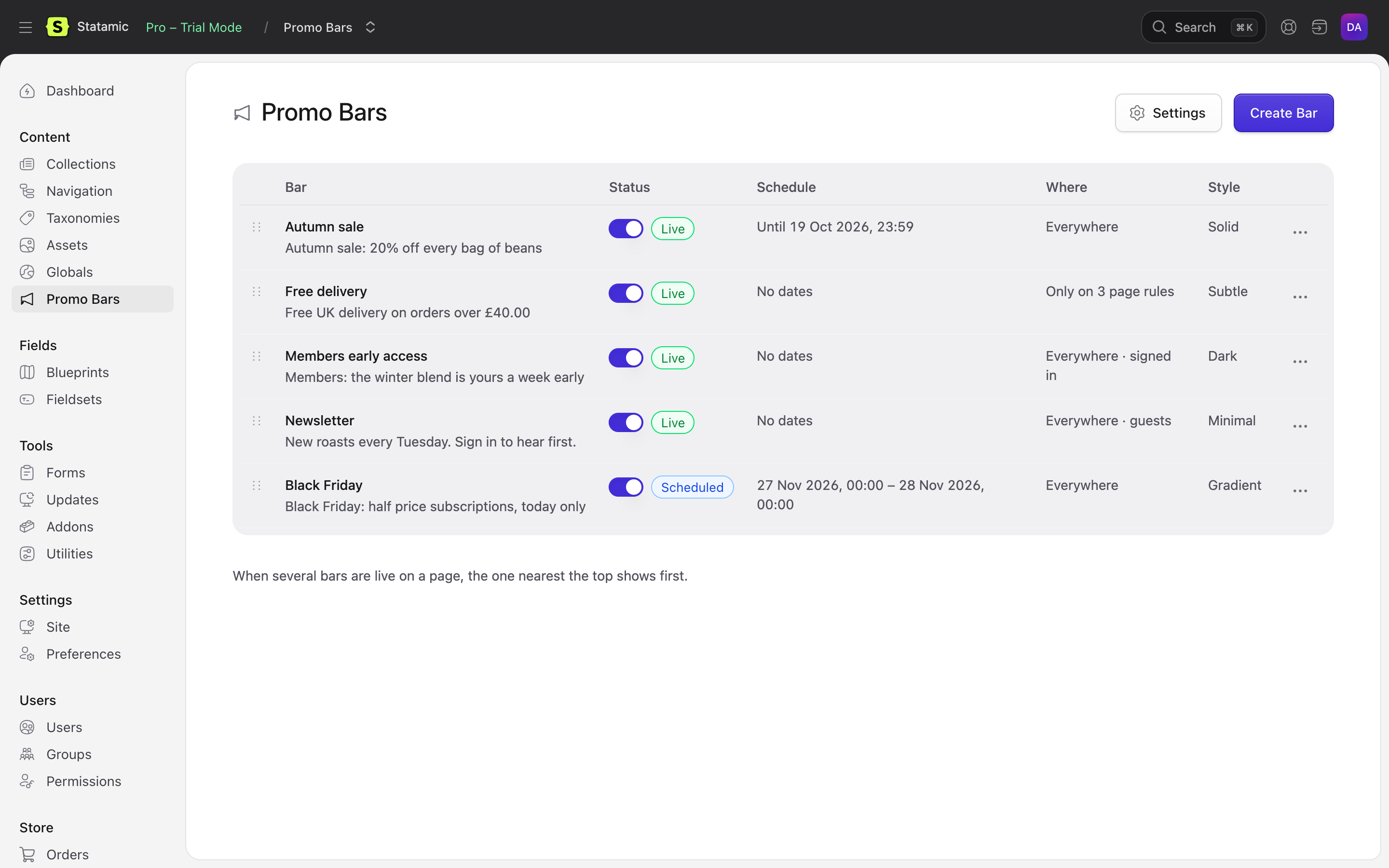
- As many bars as you like. Each has a message (bold, italic, links), an optional button, and a style. Drag them into order: when several are live, the top one wins, or show them all stacked, or rotate them.
- Scheduled. A start and an end, to the minute. Ended and upcoming bars are never in the page, so a Black Friday code can't leak early.
- Targeted. Everywhere, only on some pages, or everywhere except some: by entry, by collection, or by URL pattern (
/shop/*). On multisite, by site. And for everyone, guests only, or signed-in visitors (optionally in certain user groups). - Countdowns and codes. A live countdown to the end, and a discount code with a Copy button. Without JavaScript the end date and the code still show.
- Made for phones. Bars are smaller on phones, and each can have a shorter phone message and leave out its countdown, code or button there. Stacked bars show only the first. All in CSS, so nothing jumps.
- Dismissible. Visitors can close a bar. It stays closed in their browser, comes back after a number of days if you like, and reappears when you change what it says.
- Styled in the Control Panel. Six presets (Solid, Subtle, Dark, Outline, Gradient, Minimal), each with its colours, button, size and alignment editable in the settings, a live preview, and a warning when text is hard to read. Give one bar its own colours, or choose None and bring your own CSS.
- Your analytics. Clicks, dismissals, code copies and (if you like) views go to Google Tag Manager, GA4, Plausible, Fathom, Umami, Matomo, or a function of your own, through the trackers already on your pages. No cookies, nothing sent from your server.
- Cargo shops. With Cargo, show how far the basket is from free delivery ("£12.00 away from free delivery") with a progress bar, and take discount codes straight from Cargo's discounts. Bars end when their discount does.
- Accessible. A labelled region, real buttons with clear names, focus kept in place, a pause button when rotating, and no movement for visitors who prefer reduced motion.
- One tag.
{{ promo_bar }}in your layout, or<s:promo_bar />in Blade. Every example in the docs has both.
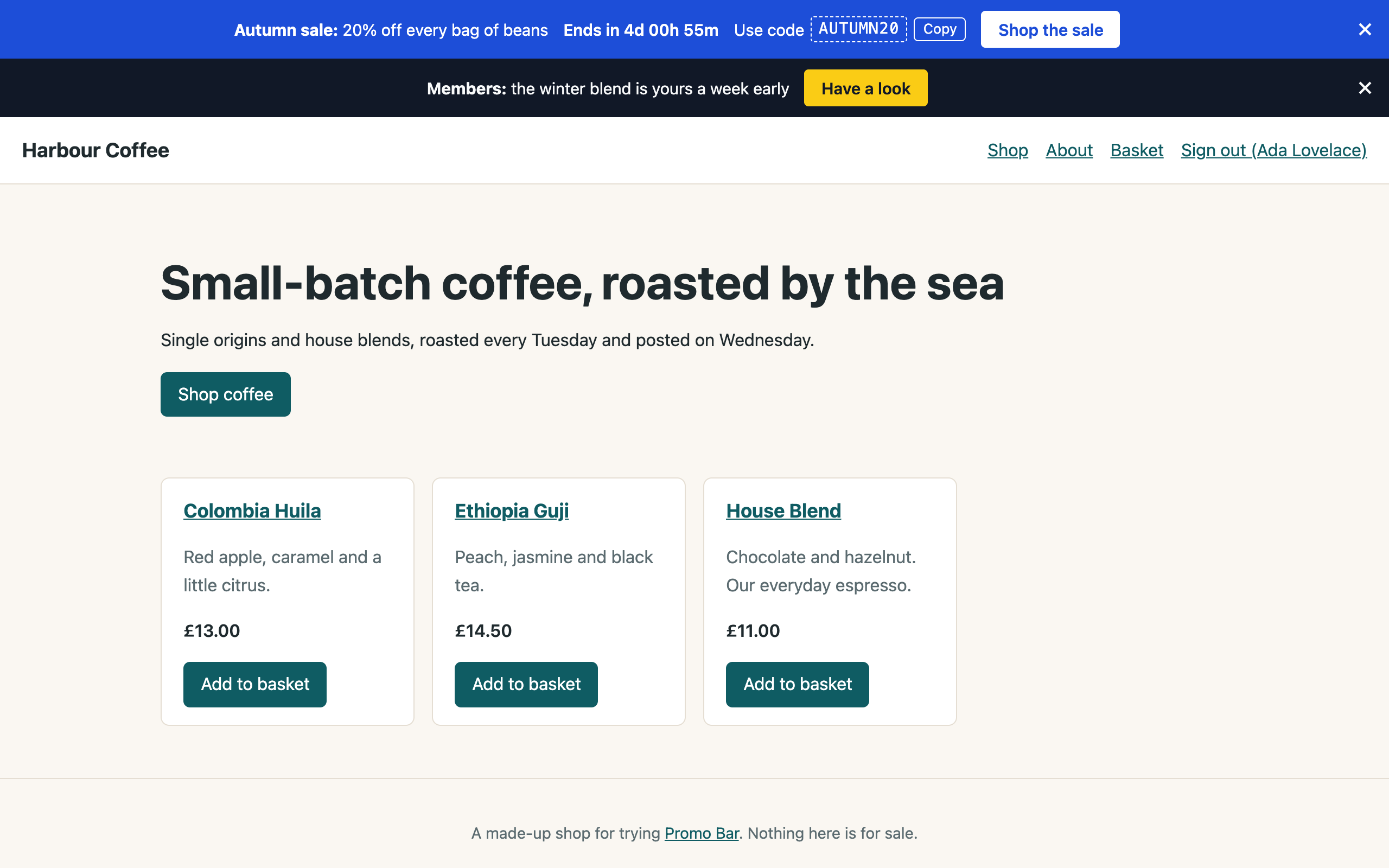
| For signed-in members | Content → Promo Bars | Editing, with a live preview |
|---|---|---|
 |
 |
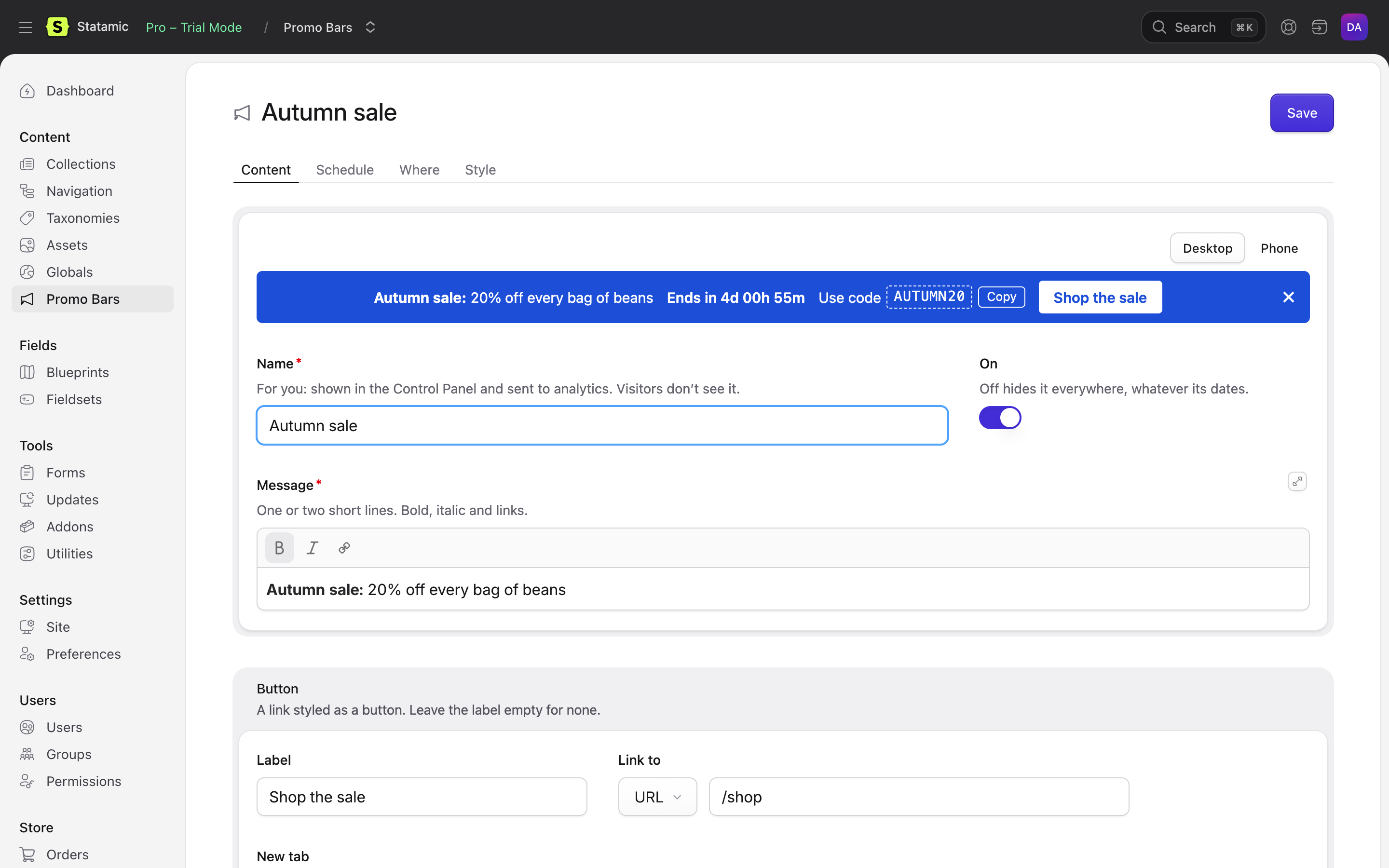 |
The screenshots are from Harbour Coffee, a made-up shop built with Cargo and Promo Bar. Try the demo: it runs locally in a few commands, with no licence needed. See The demo shop.
Requirements
- Statamic 6.35 or later, PHP 8.3 or later.
- Statamic Pro for Control Panel permissions and more than one user. Bars work without it.
- For the free delivery progress and Cargo codes: Cargo 1.15 or later.
Installation
composer require 1994/promo-bar-statamic
Add the bars to your layout, just inside <body>:
{{ promo_bar }}
Blade
<s:promo_bar />
Then make a bar under Content → Promo Bars. That's all: the tag brings its own stylesheet and script.
For bars that start and end on time on a statically cached site, make sure Laravel's scheduler runs. See Static caching.
Documentation
Start with the documentation's contents.
Licence
Promo Bar is commercial software, sold through the Statamic Marketplace. You can try it free on local and staging sites; a licence is needed for each live site. See LICENSE.md.
Support
Ask on the addon's Marketplace page, or email hello@1994.co.uk.
Development
composer install
npm install
npm run build        # the Control Panel's scripts
vendor/bin/phpunit   # the PHP tests
npm test             # the Control Panel preview's tests
vendor/bin/pint      # code style