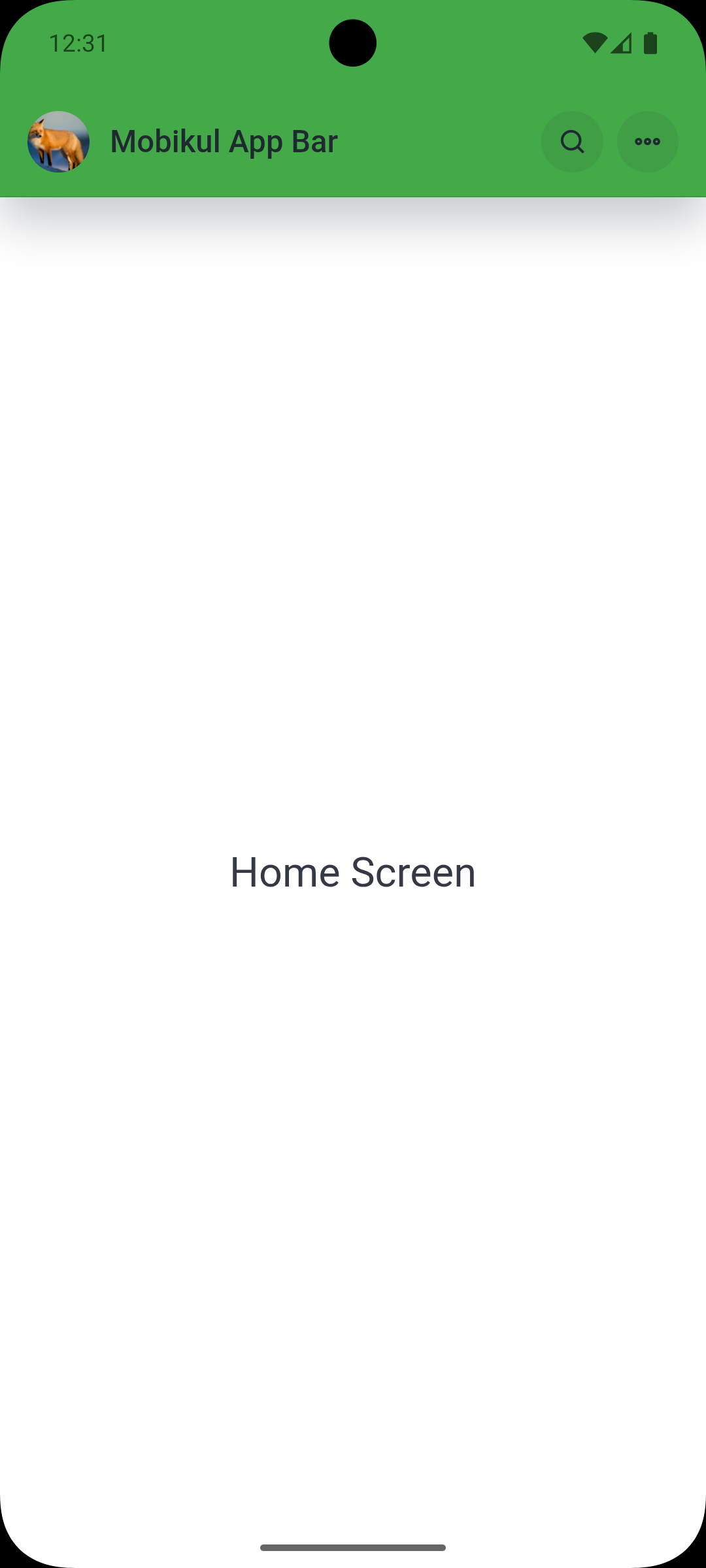
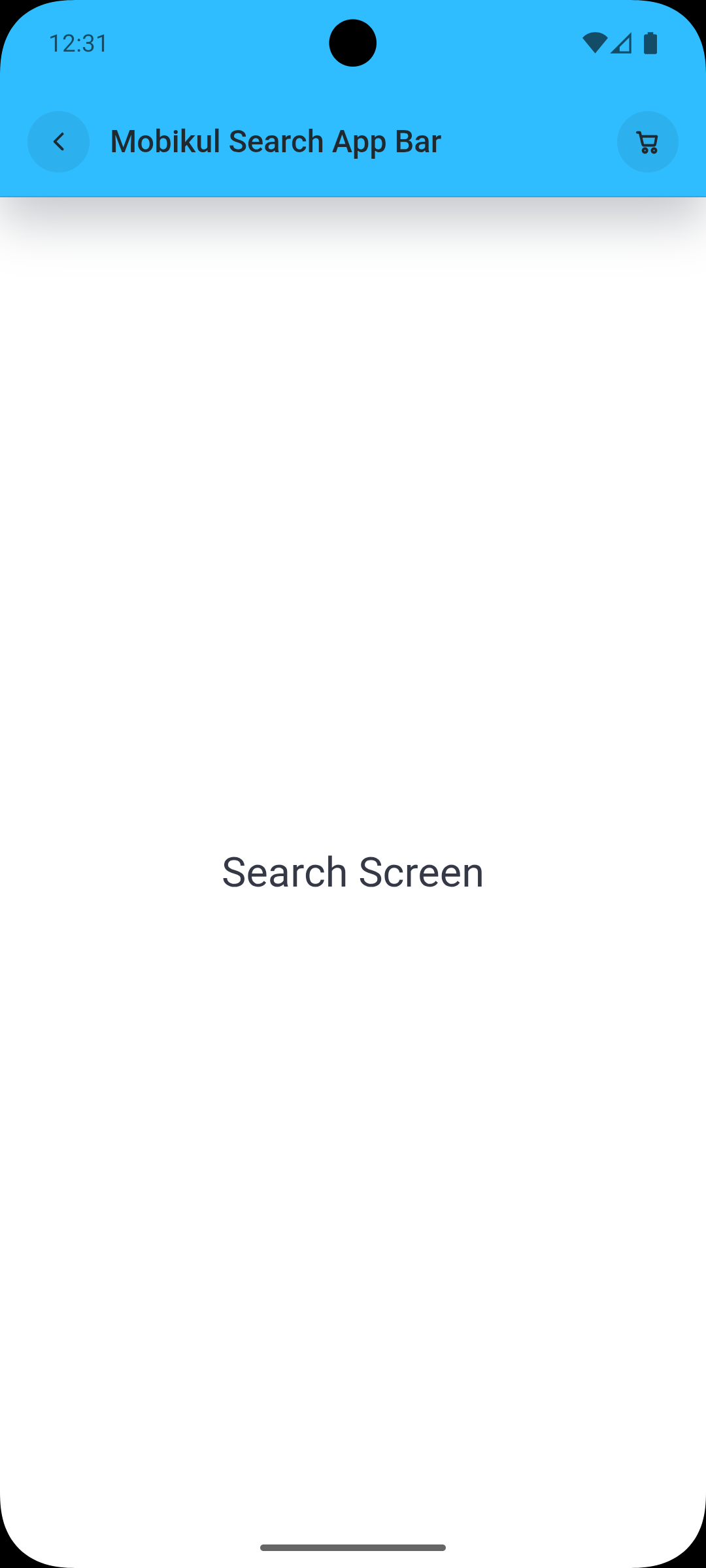
mobikul / nativephp-mobile-appbar

Dynamic app bar bridge for NativePHP Mobile with title and context-aware icon actions
Package info
github.com/SocialMobikul/Mobikul_AppBar_Native_Php
Type:nativephp-plugin
pkg:composer/mobikul/nativephp-mobile-appbar
Requires
- php: ^8.2
- illuminate/support: ^10.0|^11.0|^12.0|^13.0
- nativephp/mobile: ^3.0
Requires (Dev)
None
Suggests
None
Provides
None
Conflicts
None
Replaces
None
README
Dynamic app bar bridge for NativePHP Mobile with title, context-aware icon actions, and configurable visual options on both Android and iOS.
To find out more, visit: https://mobikul.com/
Overview
mobikul/nativephp-mobile-appbar provides a consistent API to configure your mobile app bar from your Laravel/NativePHP layer.
It exposes two bridge methods:
MobikulAppBar.ConfigureMobikulAppBar.Reset
Requirements
- PHP
^8.2 nativephp/mobile^3.0illuminate/support^10.0|^11.0|^12.0|^13.0- Android min SDK:
29 - iOS min version:
16.0
Quick Start
- Install and register the plugin.
- Publish config (and assets only if you use HTML helpers).
- Rebuild NativePHP project files.
- Create a payload with
configure()orconfigureWithCustomValues(). - Dispatch that payload to
/_native/api/call.
Installation
Install the package:
composer require mobikul/nativephp-mobile-appbar
Register the NativePHP plugin:
php artisan native:plugin:register mobikul/nativephp-mobile-appbar
Verify registration:
php artisan native:plugin:list
Ensure mobikul/nativephp-mobile-appbar appears in the plugin list.
MobikulAppBarServiceProvider is Laravel auto-discovered through Composer metadata. Usually you do not need to add it manually.
If your app disables package discovery, add it explicitly:
public function plugins(): array
{
    return [
        \MobikulAppBar\MobikulAppBarServiceProvider::class,
    ];
}
Publish plugin configuration:
php artisan vendor:publish --tag=mobikul-app-bar-config
Optional: publish web assets if your UI uses the included app bar CSS/JS:
php artisan vendor:publish --tag=mobikul-app-bar-assets
Rebuild native projects so bridge changes are available:
php artisan native:install --force
If you change plugin registration later, run native:install --force again.
Configuration
After publishing config, update config/mobikul_appbar.php:
<?php

declare(strict_types=1);

return [
    'defaults' => [
        'showAppLogo' => false,
        'isElevated' => true,
        'isLeadingEnable' => false,
        'isHomeEnable' => false,
        'isAppLogoForDarkmode' => false,
        'appLogoUrl' => null,
        'darkAppLogoUrl' => null,
        'placeHolderImage' => null,
        'appBarBackgroundColor' => '#ffffff',
        'titleColor' => '#111827',
        'titleFontSize' => 18,
        'titleFontWeight' => '600',
        'logoWidth' => 32,
        'logoHeight' => 32,
    ],
];
These defaults are merged automatically into every configure() call.
App bar height and spacing are handled by the plugin's built-in CSS defaults.
Usage
Plugin-Managed Basic Styling (No App-Side App Bar CSS)
If you want app bar height, spacing, icon button shape, and base styling to be managed by this plugin, render app bar HTML from plugin and include published assets.
<link rel="stylesheet" href="/vendor/mobikul_appbar/css/app-bar.css">
<script src="/vendor/mobikul_appbar/js/app-bar.js"></script>
use MobikulAppBar\Facades\MobikulAppBar;
use MobikulAppBar\ValueObjects\AppBarCustomValues;
use MobikulAppBar\ValueObjects\AppBarIcon;

$customValues = AppBarCustomValues::make()
    ->withBackground('#ff3330')
    ->withTitleStyle('#1f2a30', 18, '500')
    ->withElevation(true)
    ->withLeading(true)
    ->withHomeTap(false);

$appBarHtml = MobikulAppBar::renderHtmlWithCustomValues(
    title: 'Mobikul Search App Bar',
    customValues: $customValues,
    icons: [
        new AppBarIcon('cart', 'open_cart'),
    ]
);
{!! $appBarHtml !!}
Use plugin-generated app bar markup instead of custom <header class="appbar">...</header> CSS blocks when you want plugin-owned styling.
1. Configure app bar with array icons
use MobikulAppBar\Facades\MobikulAppBar;

$payload = MobikulAppBar::configure(
    title: 'Product Details',
    icons: [
        ['icon' => 'back', 'action' => 'go_back'],
        ['icon' => 'wishlist', 'action' => 'add_to_wishlist'],
        ['icon' => 'share', 'action' => 'share_product'],
    ],
    context: 'product',
    options: [
        'isLeadingEnable' => true,
        'showAppLogo' => false,
    ]
);
2. Configure app bar with value objects (recommended)
use MobikulAppBar\Facades\MobikulAppBar;
use MobikulAppBar\ValueObjects\AppBarCustomValues;
use MobikulAppBar\ValueObjects\AppBarIcon;

$customValues = AppBarCustomValues::make()
    ->withBackground('#0f172a')
    ->withTitleStyle('#ffffff', 20, '700')
    ->withElevation(true)
    ->withLeading(true)
    ->withHomeTap(true)
    ->withLogo(
        appLogoUrl: 'https://cdn.example.com/logo.png',
        darkAppLogoUrl: 'https://cdn.example.com/logo-dark.png',
        placeholderImage: 'https://cdn.example.com/logo-placeholder.png'
    )
    ->withLogoSize(36, 36);

$payload = MobikulAppBar::configureWithCustomValues(
    title: 'Home',
    customValues: $customValues,
    icons: [
        new AppBarIcon('menu', 'open_menu'),
        new AppBarIcon('search', 'open_search'),
        new AppBarIcon('cart', 'open_cart'),
    ],
    context: 'home'
);
3. Dispatch payload to NativePHP bridge (required)
configure() and reset() return payload arrays. Send that payload to /_native/api/call to apply changes on device:
<meta name="csrf-token" content="{{ csrf_token() }}">
<script>
const csrfToken = document.querySelector('meta[name="csrf-token"]').content;
const payload = @json($payload);

fetch('/_native/api/call', {
  method: 'POST',
  headers: {
    'Content-Type': 'application/json',
    'X-CSRF-TOKEN': csrfToken
  },
  body: JSON.stringify({
    method: payload.method,
    params: payload.params
  })
}).catch(() => {});
</script>
4. Reset app bar to native defaults
use MobikulAppBar\Facades\MobikulAppBar;

$payload = MobikulAppBar::reset();
reset() returns the MobikulAppBar.Reset bridge payload. On device, native layers apply built-in defaults (title: "App", context: "default", default icons, and default options), not your Laravel config overrides.
Frontend Assets Usage
If you publish assets, they are available at:
public/vendor/mobikul_appbar/js/app-bar.jspublic/vendor/mobikul_appbar/css/app-bar.css
Include the script in Blade/layout if you use the HTML app bar helpers:
<script src="/vendor/mobikul_appbar/js/app-bar.js"></script>
Initialize bindings after rendering the app bar:
<script>
  window.MobikulNativeAppBar.bind(document);
</script>
app-bar.js binds click actions from elements having data-action and emits mobikul:app-bar-action with:
detail.action: action key fromdata-actiondetail.icon: icon name fromaria-label
Uninstall / Remove
Unregister plugin from NativePHP:
php artisan native:plugin:register mobikul/nativephp-mobile-appbar --remove
Remove Composer package:
composer remove mobikul/nativephp-mobile-appbar
Rebuild native projects:
php artisan native:install --force
Release Readiness Checklist
Use this checklist before publishing or integrating in a new app:
composer validate --strict --no-check-lockpassesnativephp.jsoncontains both bridge methods:MobikulAppBar.ConfigureMobikulAppBar.Reset
README.md,CHANGELOG.md, andLICENSEare present- Installation commands run in order:
composer require ...native:plugin:register ...native:install --force
- Optional asset flow is documented and tested (
vendor:publish --tag=mobikul-app-bar-assets) - Android and iOS minimum versions match docs (
29and16.0)
Allowed Icons
Only these icon keys are accepted:
backmenusearchcartprofilewishlistsharefilternotificationsmore
Context-Based Default Icons
If icons are missing/invalid, the plugin auto-falls back by context:
home:menu,search,cartproduct:back,wishlist,sharecheckout:back,cartprofile:back,notifications,moredefault:menu,search
Available Options
showAppLogo(bool)isElevated(bool)isLeadingEnable(bool)isHomeEnable(bool)isAppLogoForDarkmode(bool)appLogoUrl(string|null)darkAppLogoUrl(string|null)placeHolderImage(string|null)appBarBackgroundColor(hex/rgb/rgba/hsl/hsla)titleColor(hex/rgb/rgba/hsl/hsla)titleFontSize(int, min12)titleFontWeight(string)logoWidth(int, min20)logoHeight(int, min20)
Method Reference
MobikulAppBar::configure(string $title, array $icons = [], string $context = 'default', array $options = []): array
Returns a bridge payload in this shape:
[
    'method' => 'MobikulAppBar.Configure',
    'params' => [
        'title' => '...',
        'icons' => [...],
        'context' => '...',
        'options' => [...],
    ],
]
MobikulAppBar::configureWithCustomValues(string $title, AppBarCustomValues $customValues, array $icons = [], string $context = 'default'): array
Builds a typed configuration payload using AppBarCustomValues + AppBarIcon objects.
MobikulAppBar::reset(): array
Returns a bridge payload for MobikulAppBar.Reset.
MobikulAppBar::renderHtml(string $title, array $icons = [], array $options = [], string $id = 'mobikul-native-app-bar'): string
Returns plugin-managed app bar HTML markup using array icons + options.
MobikulAppBar::renderHtmlWithCustomValues(string $title, AppBarCustomValues $customValues, array $icons = [], string $id = 'mobikul-native-app-bar'): string
Returns plugin-managed app bar HTML markup using AppBarCustomValues + AppBarIcon objects.
AppBarCustomValues API
AppBarCustomValues provides a fluent, typed way to build the options payload.
Constructor
AppBarCustomValues::make(array $defaults = []): AppBarCustomValues
Fluent methods
withLogo(string $appLogoUrl, ?string $darkAppLogoUrl = null, ?string $placeholderImage = null): AppBarCustomValueswithLeading(bool $enabled = true): AppBarCustomValueswithHomeTap(bool $enabled = true): AppBarCustomValueswithElevation(bool $enabled = true): AppBarCustomValueswithDarkModeLogo(bool $enabled = true): AppBarCustomValueswithTitleStyle(string $color, int $fontSize = 18, string $fontWeight = '600'): AppBarCustomValueswithBackground(string $color): AppBarCustomValueswithLogoSize(int $width, int $height): AppBarCustomValueswithOverrides(array $overrides): AppBarCustomValuestoArray(): array
AppBarIcon API
Use typed icons with validation:
new AppBarIcon(string $icon, string $action)toArray(): array
AppBarIcon enforces icon validity and non-empty action in PHP and throws InvalidArgumentException for invalid values.
When you use array icons with configure(), validation/filtering happens in native (Android/iOS), and context defaults are applied if no valid icons remain.
Allowed icon values:
backmenusearchcartprofilewishlistsharefilternotificationsmore
Implementation Notes
- Service provider and facade are auto-discovered by Laravel.
- Input is normalized on Android and iOS to keep behavior consistent.
- Invalid icon names are filtered, then context defaults are applied.
- Color and numeric values are sanitized in native layers.
Plugin Preview