mobikul / mobikul_loader

Loader state bridge for NativePHP Mobile with optional Blade and web view helpers
Package info
github.com/SocialMobikul/Mobikul_Loader_Native_Php
Type:nativephp-plugin
pkg:composer/mobikul/mobikul_loader
Requires
- php: ^8.2
- illuminate/support: ^10.0|^11.0|^12.0|^13
- nativephp/mobile: ^3.0
Requires (Dev)
None
Suggests
None
Provides
None
Conflicts
None
Replaces
None
README
Show and hide loader state in NativePHP Mobile apps, with optional Blade and web view support.
To find out more, visit: https://mobikul.com/
What this plugin does
mobikul_loader provides two NativePHP bridge methods:
MobikulLoader.ShowMobikulLoader.Hide
These methods return loader state that your app can use while processing actions such as login, sync, or API requests.
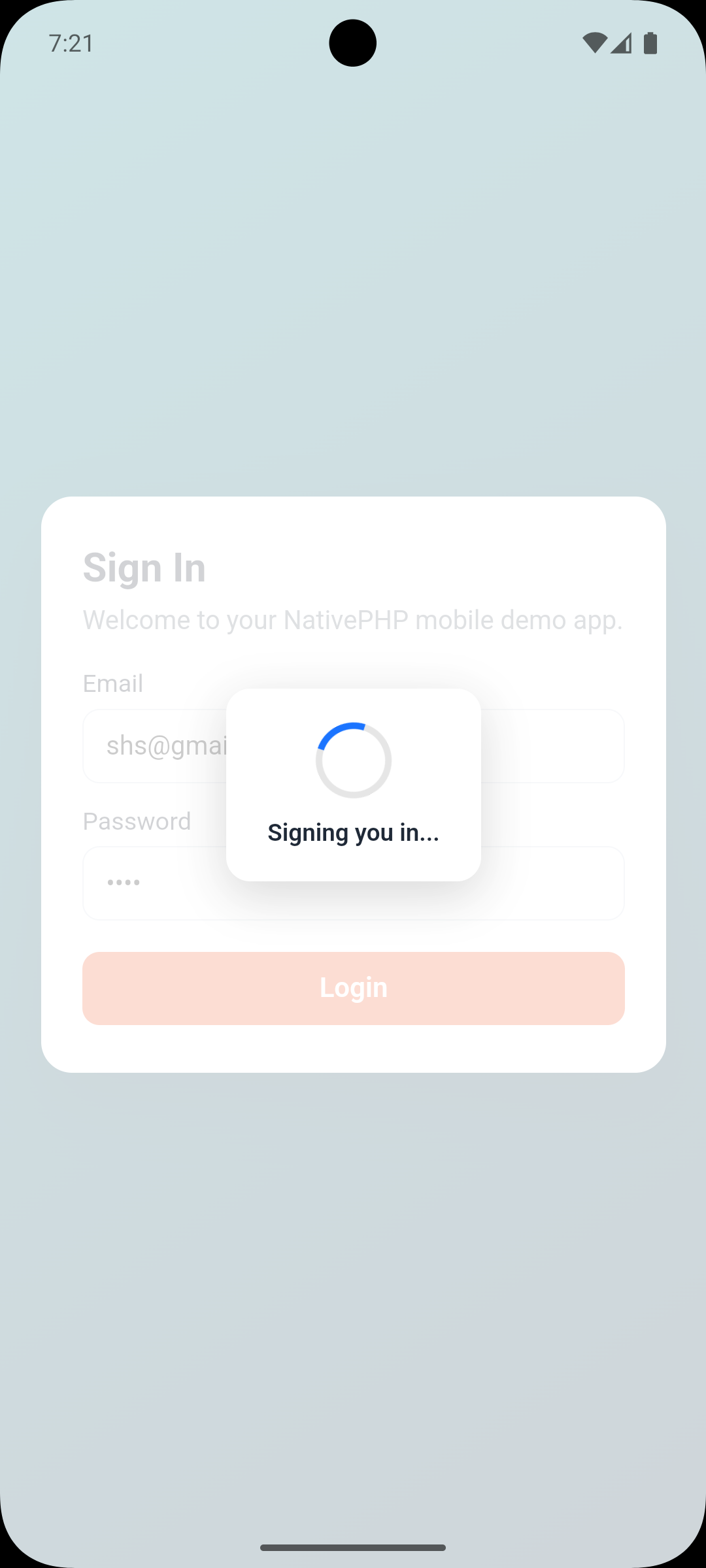
The package also includes an optional HTML, CSS, and JavaScript helper for Blade-based screens or hybrid web views where you want a ready-made overlay spinner.
Requirements
- PHP
8.2or higher - Laravel support package compatibility:
^10.0,^11.0,^12.0, or^13 nativephp/mobile^3.0- A NativePHP Mobile application
Installation
Install the package:
composer require mobikul/mobikul_loader
Register the plugin with NativePHP:
php artisan native:plugin:register mobikul/mobikul_loader
If this is your first time installing the plugin, or if you later change native bridge files, rebuild the native layer:
php artisan native:install --force
If you install from the NativePHP marketplace, configure the NativePHP Composer repository and credentials first:
composer config repositories.nativephp-plugins composer https://plugins.nativephp.com
composer config http-basic.plugins.nativephp.com <your-email> <your-license-key>
composer require mobikul/mobikul_loader
php artisan native:plugin:register mobikul/mobikul_loader
Optional Asset Publishing
If you want to use the included Blade or web view loader UI, publish the package assets:
php artisan vendor:publish --tag=mobikul-loader-assets
This publishes the loader files to:
public/vendor/mobikul_loader/
Quick Start
Example login flow using the bridge methods from a NativePHP web view:
async function signIn() {
  await fetch('/_native/api/call', {
    method: 'POST',
    headers: { 'Content-Type': 'application/json' },
    body: JSON.stringify({
      method: 'MobikulLoader.Show',
      params: { message: 'Signing you in...' }
    })
  });

  try {
    await fakeLoginRequest();
  } finally {
    await fetch('/_native/api/call', {
      method: 'POST',
      headers: { 'Content-Type': 'application/json' },
      body: JSON.stringify({
        method: 'MobikulLoader.Hide',
        params: {}
      })
    });
  }
}
JavaScript Usage
You can call the bridge endpoint directly:
await fetch('/_native/api/call', {
  method: 'POST',
  headers: { 'Content-Type': 'application/json' },
  body: JSON.stringify({
    method: 'MobikulLoader.Show',
    params: { message: 'Loading...' }
  })
});
Or use the included helper module from mobikulLoader.js:
import { show, hide } from './vendor/mobikul_loader/js/mobikulLoader.js';

await show({ message: 'Loading...' });
await hide();
The helper is intended for bundled frontend code in your app. The import path above is an example and may need to be adjusted to match your app's frontend build setup. If you are not using a bundler, call the bridge endpoint directly.
Bridge Methods
MobikulLoader.Show
Marks the loader as visible and returns the resolved loader state.
Parameters:
messageoptional string shown in the response payload
Returns:
{
  "visible": true,
  "message": "Loading..."
}
MobikulLoader.Hide
Marks the loader as hidden and returns the resolved loader state.
Returns:
{
  "visible": false
}
Blade and Web View Helper
If your NativePHP app renders Blade or hybrid web views, you can use the included helper to render a loader overlay after publishing assets:
<?php

use MobikulLoader\HtmlLoader;

$loader = new HtmlLoader('mobikul-native-loader', 'Please wait...');
?>

<link rel="stylesheet" href="/vendor/mobikul_loader/css/loader.css">

<?= $loader->render(); ?>

<script src="/vendor/mobikul_loader/js/loader.js"></script>
<script>
  window.MobikulNativeLoader.show('mobikul-native-loader');

  setTimeout(() => {
    window.MobikulNativeLoader.hide('mobikul-native-loader');
  }, 1200);
</script>
Important Behavior
This plugin currently provides loader state bridge responses and optional web-based loader UI helpers. The native bridge implementations return a success payload that your app can use to coordinate loading behavior on Android and iOS.
If your app needs a fully rendered platform-native overlay component, extend the native bridge implementations in:
resources/android/src/MobikulLoaderFunctions.ktresources/ios/Sources/MobikulLoaderFunctions.swift
Permissions
This plugin does not require any special permissions.
- Android permissions: none
- iOS Info.plist permissions: none
Events
This plugin does not dispatch any custom NativePHP events in the current version.
Validation
Run validation from your NativePHP app root:
php artisan native:plugin:validate
If you change native bridge code or the plugin manifest, rebuild the native layer:
php artisan native:install --force
php artisan native:run
Versioning
This plugin follows semantic versioning.
MAJORfor breaking API or manifest changesMINORfor backward-compatible featuresPATCHfor fixes and documentation updates
Preview
Loader UI example inside a NativePHP Mobile login screen: