
matondojk / filament-avatar-picker

A beautiful, highly-customizable avatar gallery and upload picker component for Filament PHP.
Package info
github.com/matondojk/filament-avatar-picker
Type:filament-plugin
pkg:composer/matondojk/filament-avatar-picker
Requires
- php: ^8.1
- filament/filament: ^3.0|^4.0|^5.0
- illuminate/support: ^10.0|^11.0|^12.0|^13.0
Requires (Dev)
None
Suggests
None
Provides
None
Conflicts
None
Replaces
None
README
A beautiful, highly-customizable avatar gallery and upload picker component for Filament PHP.
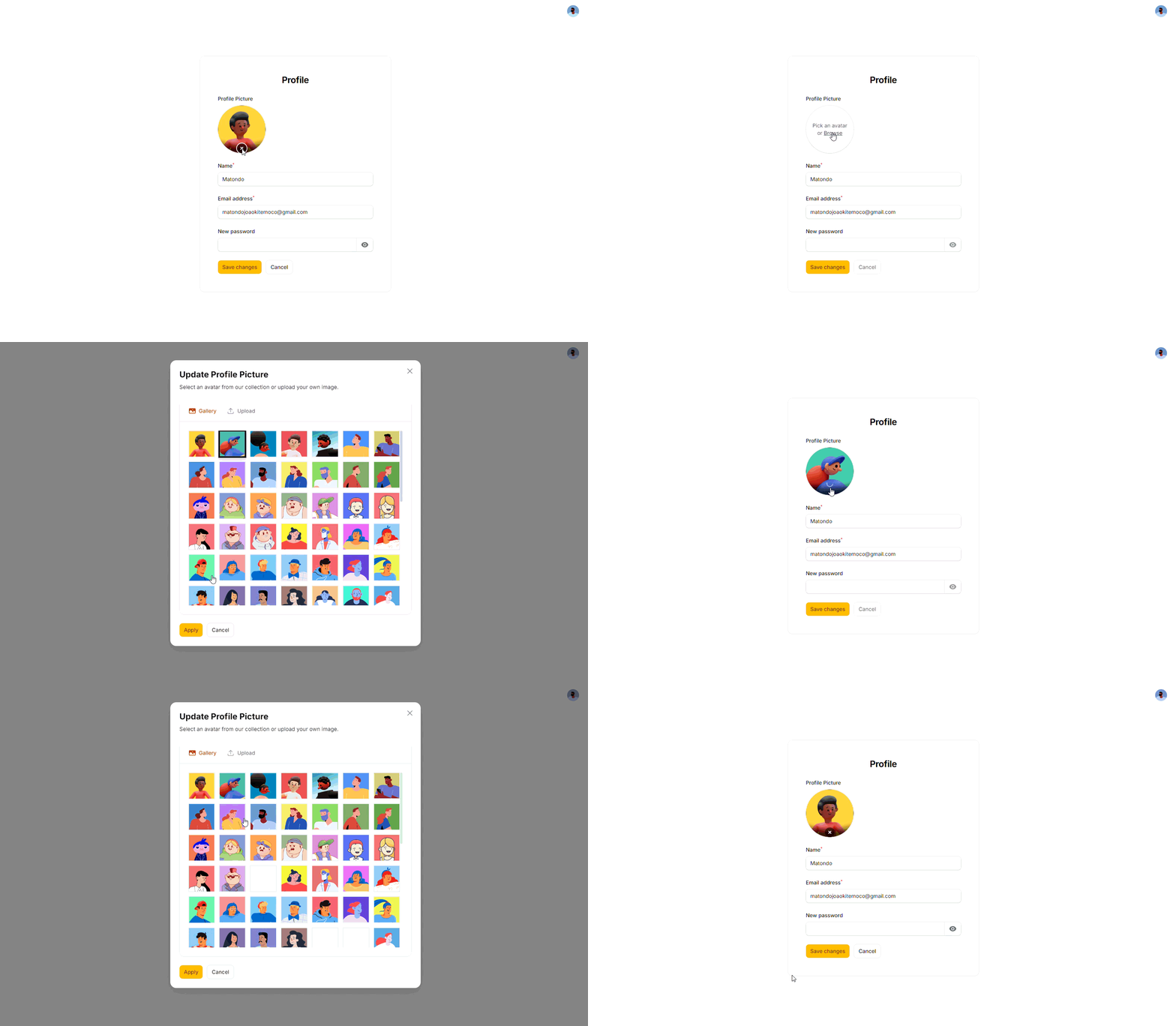
Features
- Component First: Use it as a form field (
AvatarPicker::make('avatar')) anywhere in your Filament forms. - Curated Avatar Gallery: Display a gorgeous grid of pre-defined avatars.
- Custom Uploads: Isolated secure directory for user uploads (
custom-avatars). - Multi-language Support: Fully translated into 12 languages (including Arabic, Spanish, French, Portuguese, Chinese, etc.).
- Smart Sorting: Customizable initial avatar priority.
- Dark/Light Mode: First-class support for Filament themes.
Installation
- Install the package via Composer:
composer require matondojk/filament-avatar-picker
- Publish the assets (this will copy the default curated avatars to your storage directory):
php artisan vendor:publish --tag=filament-avatar-picker-assets
php artisan storage:link
Usage
Use the AvatarPicker component inside any of your Filament forms (such as in a Resource or a custom Page). It acts just like a standard field and automatically handles both file uploads and gallery selection.
use MatondoJK\FilamentAvatarPicker\Components\AvatarPicker;

public static function form(Form $form): Form
{
    return $form
        ->schema([
            AvatarPicker::make('avatar')
                ->label('Profile Picture'), // You can define any label you want!

            // ... other fields
        ]);
}
The component automatically saves the chosen string (either a gallery filename or the uploaded file path) directly to the database column you specify (avatar in the example above). No forced migrations or table changes!
Setting up the User Model
For the avatar to work properly globally in the Filament panel (such as in the topbar), your User model must implement the HasAvatar interface from Filament.
Important: You must create your own string field in your database (e.g., avatar_url or avatar) via your own migration to save the avatar path. This package does NOT include any migrations because table structure should remain in your control.
Here is exactly how your User model should look:
<?php

namespace App\Models;

// use Illuminate\Contracts\Auth\MustVerifyEmail;
use Database\Factories\UserFactory;
use Filament\Models\Contracts\HasAvatar;
use Illuminate\Database\Eloquent\Attributes\Fillable;
use Illuminate\Database\Eloquent\Attributes\Hidden;
use Illuminate\Database\Eloquent\Factories\HasFactory;
use Illuminate\Foundation\Auth\User as Authenticatable;
use Illuminate\Notifications\Notifiable;
use Illuminate\Support\Facades\Storage;

#[Fillable(['name', 'email', 'password', 'avatar_url'])]
#[Hidden(['password', 'remember_token'])]
class User extends Authenticatable implements HasAvatar
{
    /** @use HasFactory<UserFactory> */
    use HasFactory, Notifiable;

    /**
     * Get the attributes that should be cast.
     *
     * @return array<string, string>
     */
    protected function casts(): array
    {
        return [
            'email_verified_at' => 'datetime',
            'password' => 'hashed',
        ];
    }

    public function getFilamentAvatarUrl(): ?string
    {
        return $this->avatar_url ? Storage::disk('public')->url($this->avatar_url) : null;
    }
}
Publishing Views & Translations
If you wish to modify the blade views or translations, you can publish them:
php artisan vendor:publish --tag=filament-avatar-picker-views
License
The MIT License (MIT). Please see License File for more information.