
froala / wysiwyg-editor

A beautiful jQuery WYSIWYG HTML rich text editor. High performance and modern design make it easy to use for developers and loved by users.
Package info
github.com/froala/wysiwyg-editor
Language:CSS
Type:component
pkg:composer/froala/wysiwyg-editor
Requires
None
Requires (Dev)
None
Suggests
None
Provides
None
Conflicts
None
Replaces
None
- dev-master
- v5.6.0
- v5.5.0
- v5.4.0
- v5.3.1
- v5.3.0
- v5.2.0
- v5.1.0
- v5.0.1
- v5.0.0
- v4.7.1
- v4.7.0
- v4.6.2
- v4.6.1
- v4.6.0
- v4.5.2
- v4.5.1
- v4.5.0
- v4.4.0
- v4.3.1
- v4.3.0
- v4.2.2
- v4.2.1
- v4.2.0
- v4.1.4
- v4.1.3
- v4.1.2
- v4.1.1
- v4.1.0
- v4.0.19
- v4.0.18
- v4.0.17
- v4.0.16
- v4.0.15
- v4.0.14
- v4.0.13
- v4.0.12
- v4.0.11
- v4.0.10
- v4.0.9
- v4.0.8
- v4.0.7
- v4.0.6
- v4.0.5
- v4.0.4
- v4.0.3
- v4.0.2
- v4.0.1
- v4.0.0
- v3.2.7
- v3.2.6
- v3.2.5.2
- v3.2.5
- v3.2.4
- v3.2.3
- v3.2.2
- v3.2.1
- v3.2.0
- v3.1.1
- v3.1.0
- v3.0.6
- v3.0.5
- v3.0.4
- v3.0.3
- v3.0.2
- v3.0.1
- v3.0.0
- v3.0.0-rc.2
- v3.0.0-rc.1
- v3.0.0-beta.2
- v3.0.0-beta.1
- v2.x-dev
- v2.9.8
- v2.9.7
- v2.9.6
- v2.9.5
- v2.9.4
- v2.9.3
- v2.9.2
- v2.9.1
- v2.9.0
- v2.8.5
- v2.8.4
- v2.8.3
- v2.8.2
- v2.8.1
- v2.8.0
- v2.7.6
- v2.7.5
- v2.7.4
- v2.7.3
- v2.7.2
- 2.7.1
- v2.7.0
- v2.6.6
- v2.6.5
- v2.6.4
- v2.6.3
- v2.6.2
- v2.6.1
- v2.6.0
- v2.5.1
- v2.5.0
- v2.4.2
- v2.4.1
- v2.4.0
- v2.4.0-rc.1
- v2.3.5
This package is auto-updated.
Last update: 2026-11-18 08:15:00 UTC
README
A rich text editor built for people, with AI you control.
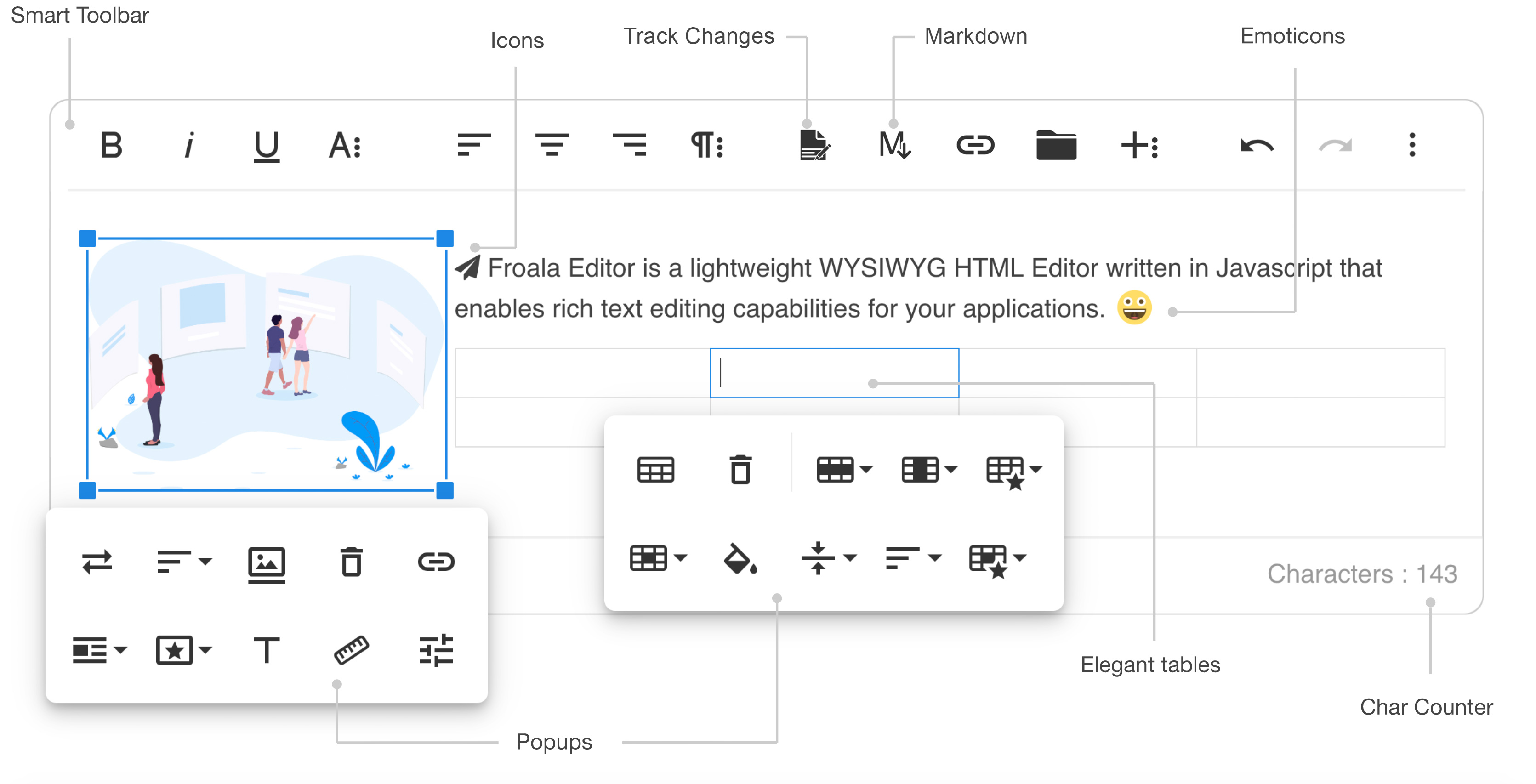
What is Froala?
Froala adds a complete writing experience to any web product: content management systems, learning platforms, email and page builders, help desks, CRMs and document tools.
End users get familiar formatting, Word import and export, real-time collaboration with track changes, and AI assistance. Developers skip building and maintaining an editor of their own. Content stays in-house, and AI requests go only to the model you choose.
The editor works with React, Angular, Vue, Svelte and plain JavaScript, and many more.
Install with npm
npm install froala-editor
import FroalaEditor from 'froala-editor';
import 'froala-editor/js/plugins.pkgd.min.js';
import 'froala-editor/css/froala_editor.pkgd.min.css';

new FroalaEditor('#froala-editor', {
  key: 'your-license-key' // see "License key" below
});
Quick start (CDN)
Two files, one element, one line of JavaScript:
<!doctype html>
<html lang="en">
<head>
  <meta charset="utf-8">
  <meta name="viewport" content="width=device-width, initial-scale=1">
  <title>Froala Editor - Quick start</title>
  <link href="https://cdn.jsdelivr.net/npm/froala-editor@latest/css/froala_editor.pkgd.min.css" rel="stylesheet">
</head>
<body>
  <div id="froala-editor"></div>

  <script src="https://cdn.jsdelivr.net/npm/froala-editor@latest/js/froala_editor.pkgd.min.js"></script>
  <script>
    new FroalaEditor('#froala-editor');
  </script>
</body>
</html>
In production, pin a version instead of @latest (for example froala-editor@5.6.0) and use the same version for both files.
What's in the package
| File | What it brings |
|---|---|
js/froala_editor.pkgd.min.js |
The editor and every plugin, in one file. |
css/froala_editor.pkgd.min.css |
Styles for the editor and every plugin, in one file. |
js/froala_editor.min.js |
The editor core only, without plugins. This is the package's main entry. |
css/froala_editor.min.css |
Styles for the editor core only. |
js/plugins.pkgd.min.js / css/plugins.pkgd.min.css |
Every plugin, to load next to the core files. |
js/plugins/*.min.js / css/plugins/*.min.css |
One plugin per file, for selective loading. |
js/third_party/*.min.js / css/third_party/*.min.css |
Integrations with third-party services, such as Embedly and the image editors. |
css/froala_style.min.css |
Styles for showing edited content outside the editor. |
css/themes/*.min.css |
Optional editor themes. |
Selective loading
To build your editor with fewer plugins, load the core files plus only the plugins you use:
// Editor core (required)
import FroalaEditor from 'froala-editor';

// Plugins
import 'froala-editor/js/plugins/align.min.js';
import 'froala-editor/js/plugins/image.min.js';

// Core styles, plus styles for the plugins that have their own
import 'froala-editor/css/froala_editor.min.css';
import 'froala-editor/css/plugins/image.min.css';

new FroalaEditor('#froala-editor', {
  pluginsEnabled: ['align', 'image']
});
Plugin names and options: Plugins documentation.
Frameworks
- React
- Angular
- Vue
- Svelte
- All integrations (Django, Rails, Symfony, WordPress and more)
- Server-side SDKs for PHP, Node.js, .NET, Java and Python: Server SDKs
Demos and examples
Browser support
The latest two versions of Chrome, Edge, Firefox, Safari and Opera, plus Safari on iOS and Chrome, Firefox and the default browser on Android.
Documentation and support
For questions or help integrating the editor, contact support instead of opening an issue.
Reporting issues
GitHub Issues is the official bug tracker. To help us fix a bug quickly:
- Check that you're on the latest version (see the changelog).
- Include steps to reproduce, ideally a minimal runnable example (CodePen, JSFiddle or StackBlitz).
- Name the browser and operating system where it happens.
Licenses
Froala is a professional commercial component with a 30-day free trial. Every Froala plan is self-hosted and includes all plugins, AI Assist and collaboration, with unlimited editor loads, users and developers.
- 30-day trial. It's free. No registration or account is required. All features are unlocked, with just a small watermark. It's not intended for production use.
- Commercial license. It may come with unlimited products and domains on one wildcard key and cover SaaS, OEM and on-premise distribution.
Need source code, volume pricing or custom terms? Contact sales. Find more details on the pricing page or in the license terms.
License key
Froala requires a key, passed in the key option. Start with the trial key if you're just trying the product or comparing it with other solutions.
new FroalaEditor('#froala-editor', {
  key: 'TRIAL-LICENSE-KEY-FOR-FROALA-NOT-FOR-PRODUCTION-USE', // 30-day trial key or your commercial key
});
Before you go live, replace the trial key with your commercial key. License information is available in the License file in the root folder.
Without a valid key the editor shows a notice in the bar at the bottom, under "Powered by Froala", and writes the same text to the browser console once. The text says whether the key is missing, a trial, invalid or expired, and is translated with the editor's language. A valid key shows nothing.
On a local host (localhost, 127.x.x.x, 0.0.0.0) you get the same notice as on a public site if there is no key, the key is a trial key, or the key has expired. A key that is still valid (a term key also during its 15 day grace period) gives a clean editor there, so licensed developers are not affected.
Built with ❤️ by the Froala team