
faithcatholic / masstimes_widget

A custom Drupal module embedding a full-screen interactive map and sidebar list of Catholic parishes, powered by the MassTimes Trust database & API.
Package info
github.com/FaithCatholic/masstimes_widget
Type:drupal-module
pkg:composer/faithcatholic/masstimes_widget
Requires
None
Requires (Dev)
- drupal/admin_toolbar: *
- drupal/devel: *
- drush/drush: *
Suggests
None
Provides
None
Conflicts
None
Replaces
None
README
A custom Drupal module embedding a full-screen interactive map and sidebar list of Catholic parishes, powered by the MassTimes Trust database & API.
🚀 Features
- Auto-detect your current location via browser geolocation
- Fallback to configurable default latitude/longitude if geolocation is unavailable or denied
- Search by ZIP code or City, State (US-only autocomplete via Nominatim)
- Interactive map (Leaflet) with parish markers & popups
- Scrollable sidebar of parish details, synchronized with map clicks
- Mobile-friendly responsive layout
🔧 Installation
- Clone or download into
web/modules/custom/masstimes_widget. - Run
drush en masstimes_widget -y(or enable via the UI). - Clear caches:
drush cr.
No contrib module dependencies are required. Leaflet is loaded from a CDN by the module's own asset library.
Warning
Font Awesome is not shipped with this module. The map markers, search form, and parish cards all render Font Awesome icons, so make sure your theme or another module already loads Font Awesome site-wide. Without it, those icons render as blank boxes.
⚙️ Configuration
-
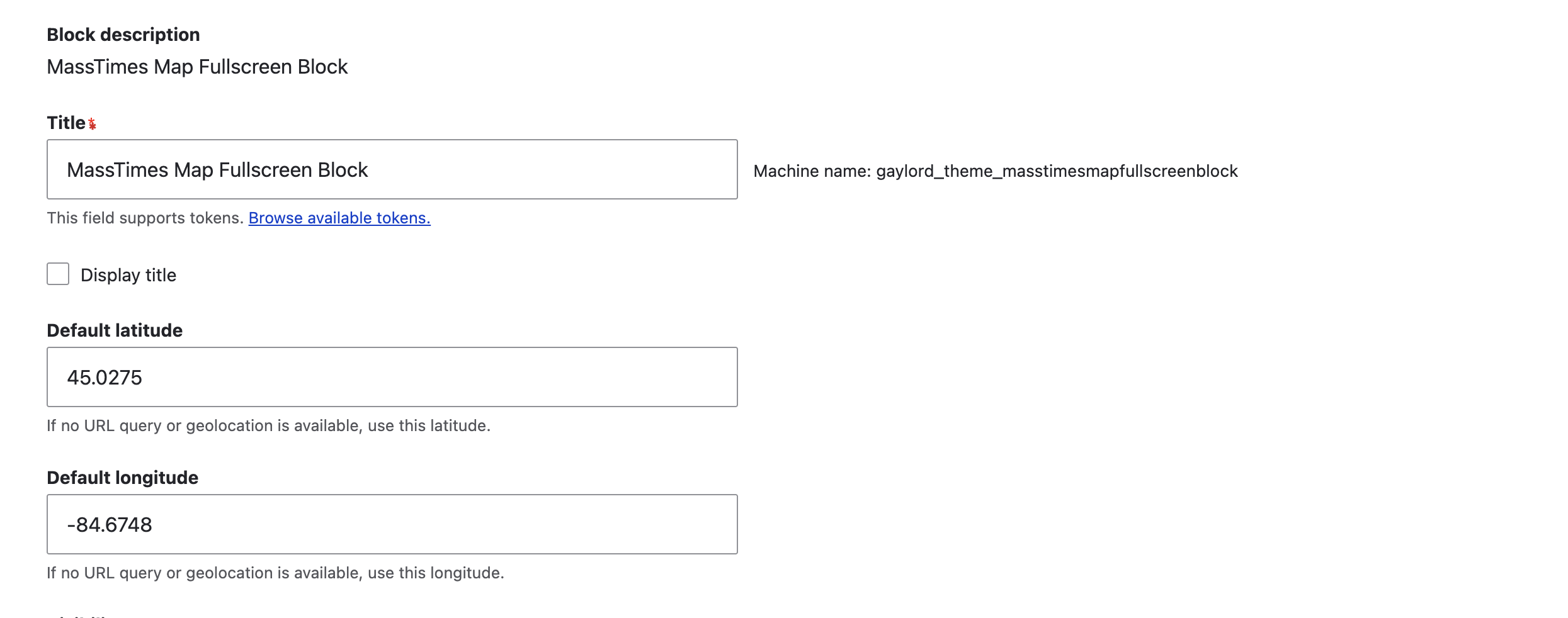
In the Block layout screen, place the MassTimes Map Fullscreen Block.
-
Under Default latitude and Default longitude, enter your preferred fallback coordinates.
-
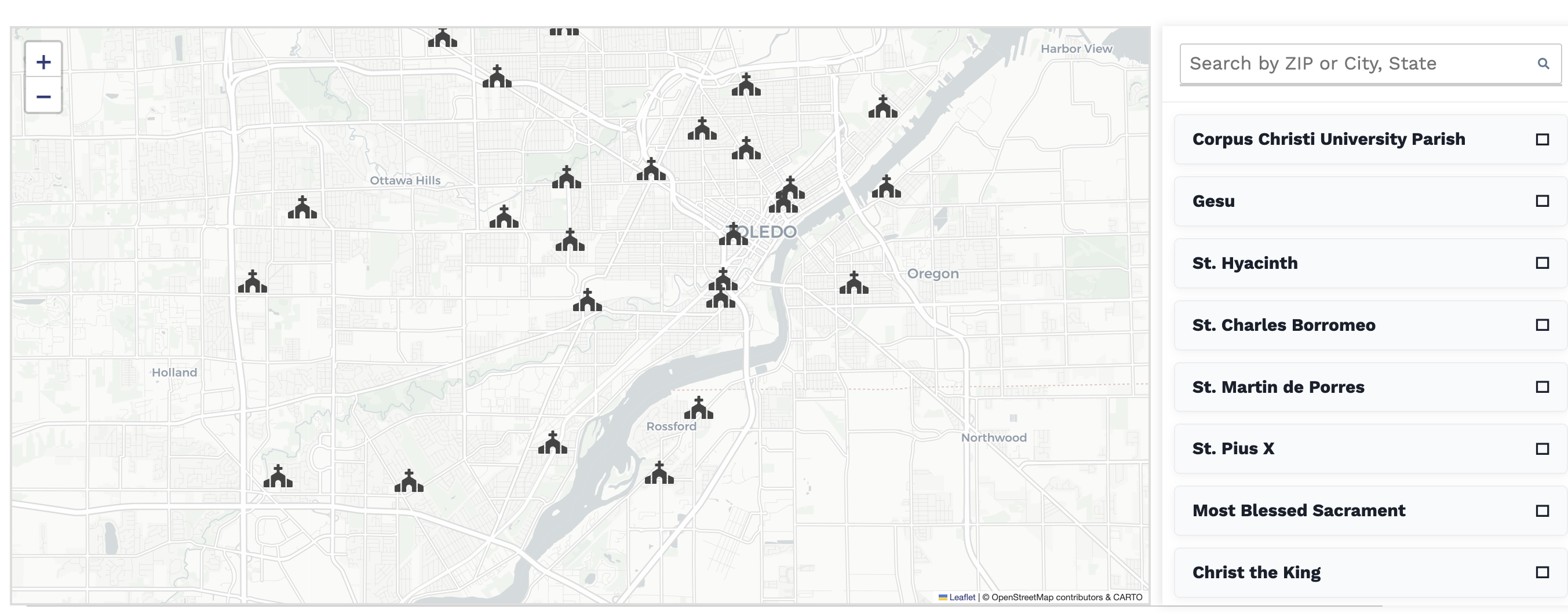
When viewing the page, the map will render full-width with the sidebar alongside:


🧩 How It Works
The map centre is resolved in a fixed order:
?lat=…&long=…in the URL, read server-side by the block plugin.- Browser geolocation, which reloads the page with those query arguments.
- The Default latitude/Default longitude configured on the block, used when geolocation is denied or unsupported.
From there:
- Block plugin (
MassTimesMapBlock) calls the MassTimes API (https://apiv4.updateparishdata.org/Churchs/) for nearby churches, sorts them by distance, and builds a GeoJSON feature collection. - The Twig template (
masstimes-map.html.twig) renders the map container and sidebar. - The accompanying JS behavior initializes the Leaflet map, adds parish markers,
and ties marker clicks to opening the corresponding
<details>in the sidebar. - The module ships with CSS for a full-width layout, responsive sidebar, and styled parish cards.
🙏 Credits
- Peter Wagner & the MassTimes Trust (masstimes.org) for their comprehensive global database of Catholic parishes and worship times.
- Leaflet for interactive maps.
- Nominatim (OpenStreetMap) for address/ZIP autocomplete.
📝 License
Licensed under GPL-2.0-or-later. All church data © Mass Times Trust; used with permission.