
codesoup / acf-admin-categories

A WordPress plugin that adds category organization to Advanced Custom Fields (ACF) field groups for better management and organization.
Requires
- php: >=8.1.0
Requires (Dev)
Suggests
- advanced-custom-fields/advanced-custom-fields-pro: Required for field management
Provides
None
Conflicts
None
Replaces
None
This package is auto-updated.
Last update: 2026-09-20 14:42:02 UTC
README
CodeSoup ACF Admin Categories extends the Advanced Custom Fields plugin by adding a custom taxonomy system that allows you to categorize and organize your field groups. This makes it easier to manage large numbers of field groups by providing filtering, sorting, and visual organization tools.

Use Cases
- Large Projects: Organize field groups by project sections (Header, Footer, Content, etc.)
- Development Workflow: Separate field groups by development status (Active, Testing, Deprecated)
Requirements
- WordPress 6.0 or higher
- PHP 8.1 or higher
- Advanced Custom Fields (ACF) Pro or Free version
Installation
Via WordPress Admin (Recommended)
- Download the plugin ZIP file from the releases page
- Navigate to Plugins > Add New > Upload Plugin
- Choose the downloaded ZIP file and click Install Now
- Activate the plugin through the Plugins menu
No additional configuration required. The plugin includes a built-in autoloader and works out of the box.
Via Composer (Theme Integration)
composer require codesoup/acf-admin-categories
Load the plugin from your theme's functions.php:
// Load ACF Admin Categories plugin
$acf_categories = get_template_directory() . '/vendor/codesoup/acf-admin-categories/index.php';
if ( file_exists( $acf_categories ) ) {
    require_once $acf_categories;

    // Configure plugin assets URL for Composer installation
    add_filter( 'codesoup_acf_admin_categories_plugin_dir_url', function( $base_url ) {
        return get_stylesheet_directory_uri() . '/vendor/codesoup/acf-admin-categories';
    });
}
Note: The plugin automatically uses your theme's Composer autoloader when available, or falls back to its own PSR-4 autoloader.
Manual Installation
- Download the plugin files
- Upload the
acf-admin-categoriesfolder to your/wp-content/plugins/directory - Activate the plugin through the Plugins menu in WordPress
Usage
Creating Field Categories
- Navigate to Custom Fields > Field Categories in your WordPress admin
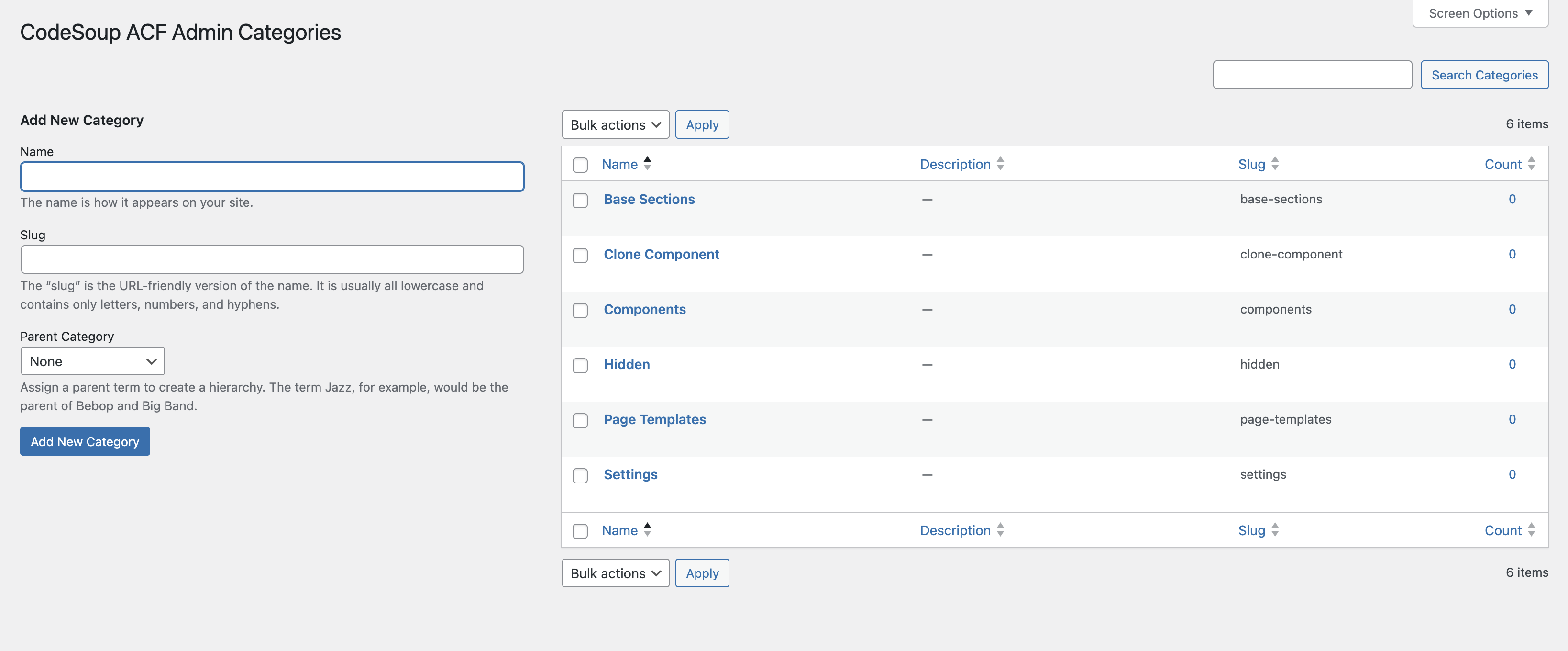
- Click Add New Category
- Enter a name and optional description for your category
- Click Add New Category to save
Assigning Categories to Field Groups
- Edit any ACF Field Group
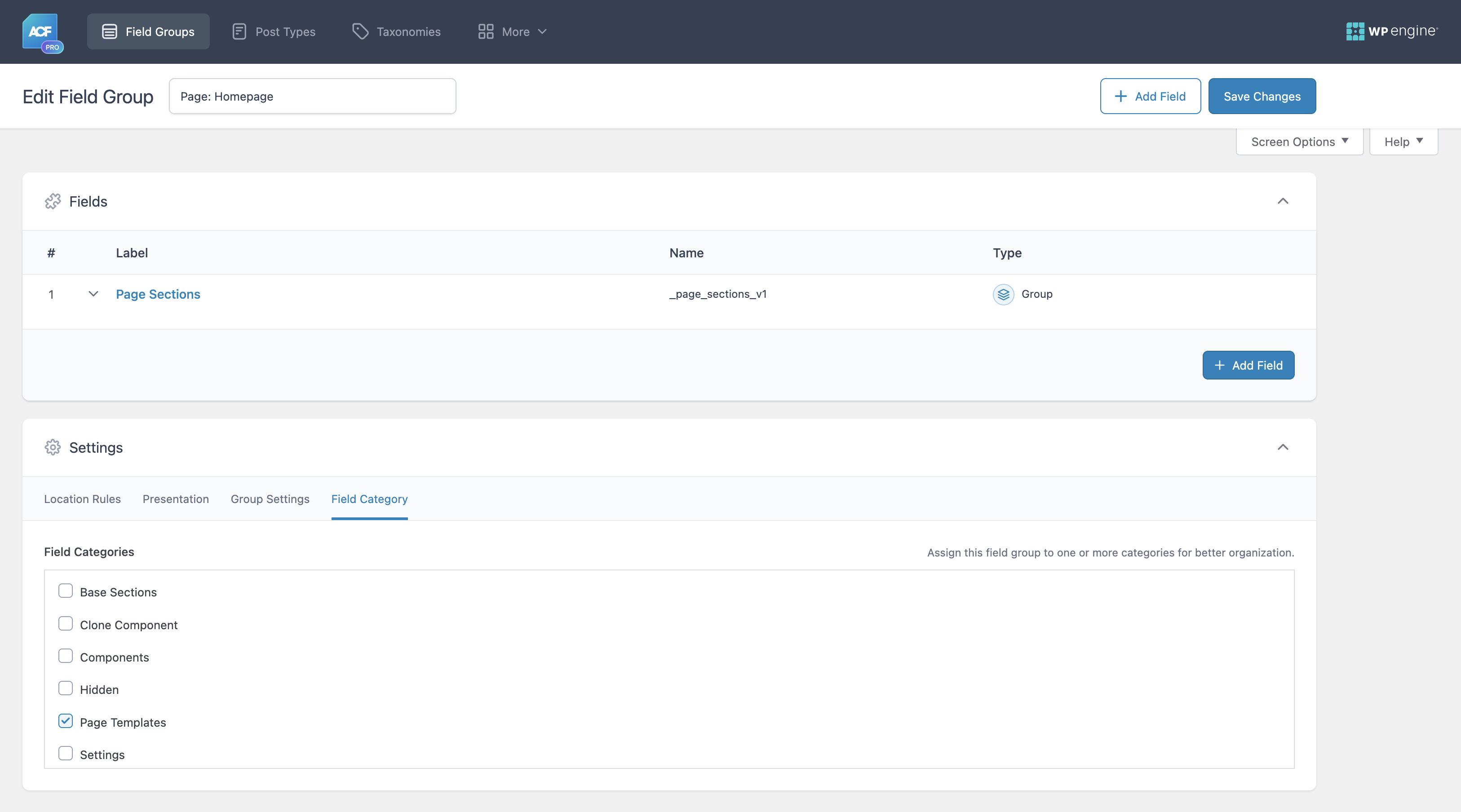
- Click the Field Category tab in the field group settings
- Check the categories you want to assign to this field group
- Save the field group
Filtering and Sorting Field Groups
- Go to Custom Fields > Field Groups
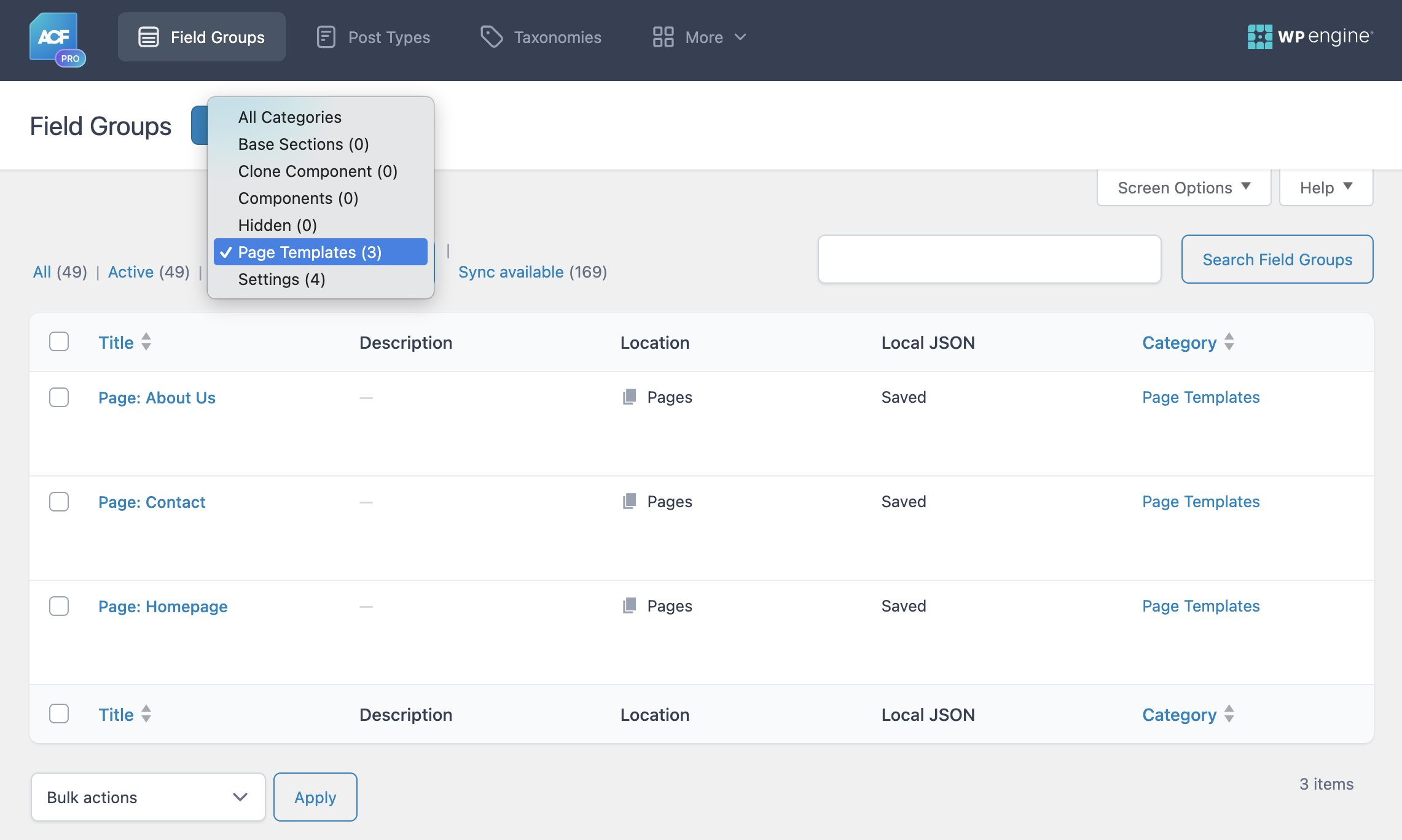
- Use the category dropdown filter above the list to filter by specific categories
- Click on any category name in the Category column to filter by that category
- Click the Category column header to sort field groups alphabetically by category name
Managing Categories
- Edit Categories: Go to Custom Fields > Field Categories to edit existing categories
- Hierarchical Structure: Create parent/child relationships between categories
- Bulk Management: Use WordPress's built-in bulk actions for category management
Features
- Categorize Field Groups: Organize ACF field groups with custom categories
- Composer Ready: Install via Composer or WordPress plugin directory
Screenshots
-
Filter and Sort Field Groups - Filter field groups by category using dropdown, click category names to filter, and sort alphabetically by clicking column header
-
Category Assignment - Assign categories directly from field group settings using the Field Category tab
-
Category Management - Create and manage your field group categories with hierarchical support


Changelog
See CHANGELOG.md for detailed version history.
Support
Please use GitHub Issues to submit any bugs or feature requests.
License
This project is licensed under the GPL v3 or later - see the LICENSE.txt file for details.